Flipkart Black Friday: Stack bank offers, coupons & no-cost EMI
Step-by-step Indian guide to stacking bank offers, Flipkart coupons, exchanges and no-cost EMI so you pay the lowest final price during Flipkart Black Friday sales.

Some links on this page are affiliate links. If you buy through them, ViralDuniya may earn a small commission at no extra cost to you. As an Amazon Associate we earn from qualifying purchases.
Check Flipkart’s sale page and your bank’s T&Cs, add product to cart, apply platform coupons and exchange, then choose the bank card/EMI option at checkout so the bank instant discount applies automatically. Use no-cost EMI where available and confirm final price on the checkout page before paying.
Key takeaways
- Confirm sale dates and bank offer T&Cs on official pages before you buy.
- Stack order: product discount → platform coupon → exchange credit → bank instant discount/no-cost EMI.
- Always check minimum cart value, card type (credit/debit/EMI) and maximum discount in bank T&Cs.
- Take screenshots of product price, coupons applied and checkout before payment.
In this article
Sale dates and bank offers (only confirmed details)
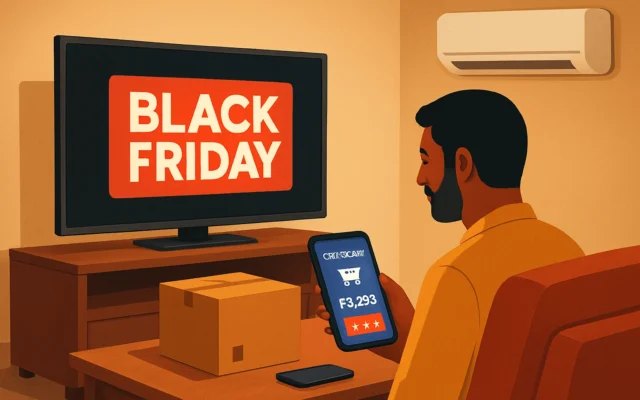
Flipkart’s Black Friday sale pages list the event and product-level deals; at the time of writing Flipkart’s Black Friday period is shown as 21–27 November on its sale page. Check Flipkart’s sale landing page and your bank’s official offer page for the exact dates and limits before purchasing. ([flipkart.com](https://www.flipkart.com/black-friday-sale-store?utm_source=openai))
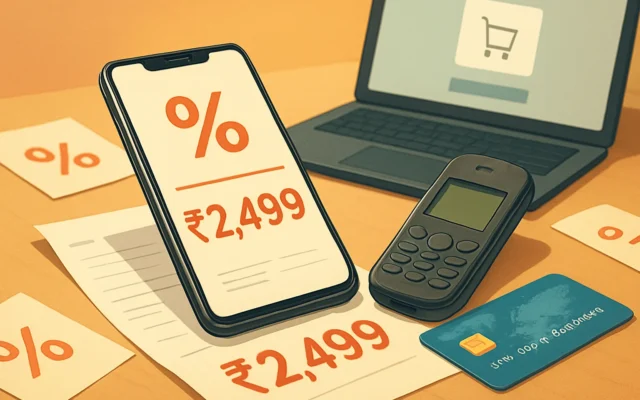
Banks run separate card-linked instant-discount offers that change by sale. For example, bank T&Cs we checked show SBI and Axis/IndusInd style instant discounts or capped percentages during recent festive sales — each offer has its own minimum transaction value, maximum discount and whether it applies to EMI. Always open the bank’s offer PDF or the card offers section on the bank website to confirm eligibility. ([sbicard.com](https://www.sbicard.com/en/personal/offer/flipkart-nov26.page?utm_source=openai))
Which categories are worth buying during Black Friday?
Electronics (smartphones, TVs, laptops), large appliances and accessories are the usual winners. Exchange offers can cut a phone’s final price substantially, and banks typically extend higher caps for large-ticket items like TVs and laptops. For smaller accessories, platform coupons and bank payoff coupons often give the best percentage savings. Check product-level offers on the Flipkart product page — those are the authoritative source for that SKU. ([flipkart.com](https://www.flipkart.com/exchange-store?utm_source=openai))
Also read: Amazon Black Friday — Best Deals & Bank Offers (amazon black friday) · Amazon Great Indian Festival: Bank Offers & No-Cost EMI Guide
How to check if a discount is real
- Compare historic prices: Check the product’s price history (Flipkart sometimes shows previous price) or use price-tracking sites. If the listed “discount” only subtracts a platform coupon that’s always available, it may not be a true price cut.
- Confirm bank T&Cs: Open the PDF/offer page on your bank’s site to verify minimum amount, allowed card types and max discount. If the bank doc lists specific dates, follow those dates. ([sbicard.com](https://www.sbicard.com/en/personal/offer/flipkart-nov26.page?utm_source=openai))
- Check product-level offers: On Flipkart each product shows applicable offers (bank discounts, exchange, platform coupons). The final checkout page is the truth — confirm the final unit price and discount line items before paying. ([flipkart.com](https://www.flipkart.com/black-friday-sale-store?utm_source=openai))
Step-by-step: Stack bank offers, coupons and no-cost EMI
- Research and bookmark: Open the Flipkart product page and the bank’s offer terms in two tabs. Save the bank T&C PDF for reference (it lists min value, card types, max discount and validity). ([sbicard.com](https://www.sbicard.com/en/personal/offer/flipkart-nov26.page?utm_source=openai))
- Add product to cart: Add the exact model and configuration you want. If there’s a platform coupon on the product page, click Apply or copy its code.
- Apply platform coupon first: Use the Flipkart coupon or coupon code displayed on the product page or in the offers section. This reduces the cart subtotal before exchange or bank discounts are calculated.
- Use exchange (if available): Use Flipkart’s exchange flow and enter your old device condition honestly. The exchange credit is applied before payment, reducing the amount eligible for bank discounts in some cases — check the exchange terms for whether the bank instant discount is calculated on post-exchange value. ([flipkart.com](https://www.flipkart.com/exchange-store?utm_source=openai))
- Choose payment method carefully: At checkout select the bank card listed in the bank offer. For bank instant discounts to apply you must often select the partner bank card as the payment method (credit card, debit card or cardless EMI) — do not select another gateway. GadgetsNow and other how-to guides confirm the instant discount should appear automatically when the correct card is chosen. ([gadgetsnow.indiatimes.com](https://gadgetsnow.indiatimes.com/how-to/how-to-combine-bank-card-offers-with-flipkart-big-billion-days-deals/articleshow/134062655.cms?utm_source=openai))
- Select EMI/no-cost EMI: If the product shows no-cost EMI for your bank card, choose the EMI tenor that shows 0% merchant/partner charges in the EMI breakdown. Confirm that the bank offer supports EMI for that SKU — bank T&Cs sometimes cap instant discount for EMI vs full-payment orders. ([axis.bank.in](https://www.axis.bank.in/offers/flipkart-offers/flipkart-big-billion-days-sale?utm_source=openai))
- Final checks & screenshot: Before you click Pay, take screenshots of (a) product page price and applied coupons, (b) the checkout page showing the final payable amount and the bank instant discount line, and (c) the bank offer T&C. This helps in post-sale disputes.
Stacking order (typical)
| Step | What reduces price |
|---|---|
| 1 | Product discount (seller or Flipkart markdown) |
| 2 | Platform coupon / Flipkart coupon code |
| 3 | Exchange credit (if used) |
| 4 | Bank instant discount or EMI cashback |
Smart buying tips
- Minimum purchase traps: Watch for minimum cart value in bank offers — adding cheap accessories to reach the threshold can be cheaper than missing a larger bank discount.
- Check EMI breakdown: Flipkart shows EMI processing fee and monthly instalment. For “no-cost EMI” the platform or brand usually absorbs interest — make sure the checkout shows 0% interest or the EMI cost matches the advertised no-cost EMI. ([axis.bank.in](https://www.axis.bank.in/offers/flipkart-offers/flipkart-big-billion-days-sale?utm_source=openai))
- Use one card per order: Most bank instant discounts apply per card per offer period. If you plan multiple purchases, spread them across eligible cards if the bank T&C allows a per-card cap.
- Keep alternative sellers in mind: If a product is sold by multiple sellers on Flipkart, compare the final checkout price with each seller — offers or exchange eligibility can vary by seller stock.
Checklist before you pay
- Confirm Flipkart sale date and product-level discount. ([flipkart.com](https://www.flipkart.com/black-friday-sale-store?utm_source=openai))
- Open and read bank offer T&Cs (min value, card type, max discount). ([sbicard.com](https://www.sbicard.com/en/personal/offer/flipkart-nov26.page?utm_source=openai))
- Apply platform coupon and confirm exchange credit if used. ([flipkart.com](https://www.flipkart.com/exchange-store?utm_source=openai))
- Choose the correct bank card / EMI tenor and screenshot the final checkout page.
Check latest prices
Prices and offers change often. Check the current price and seller rating before you buy.
Apple iPhone 15 (128GB)
Premium smartphone buyers who want strong resale and exchange value
Samsung Galaxy S24 (128GB)
Android flagship buyers looking for display and camera performance
Dell XPS 13 (Intel)
Ultrabook buyers wanting a lightweight premium laptop
LG / Samsung 55-inch 4K TV (select models)
TV shoppers who want large-screen discounts and bank-capped offers
If you’re buying phones, TVs or laptops during Flipkart Black Friday, follow the stacking order above and confirm bank T&Cs first — it can cut hundreds to thousands off the final price. If you need the item immediately and offers don’t stack cleanly, buy from a trusted seller at the best final checkout price rather than chasing a theoretical extra discount.
Frequently asked questions
Can I combine a bank instant discount with a Flipkart coupon?
Usually yes. Flipkart coupons are applied at cart level first, then exchange credit, and the bank instant discount is applied when you pick the partner card at checkout. Always confirm the final payable amount at checkout before confirming payment.
How do I know if an EMI is truly no-cost on Flipkart?
Check the EMI breakdown on checkout. A true no-cost EMI will show zero interest or the total payable equal to the product price after partner or merchant absorbs interest. Also confirm bank T&Cs for EMI eligibility.
Does Flipkart exchange always reduce the amount eligible for bank discount?
Exchange credit is usually deducted from the payable amount, which can change the amount on which bank discounts are calculated. Read the exchange and bank T&Cs for specifics before finalising payment.
What if the bank discount doesn’t appear at checkout?
Do not complete payment. Screenshot the checkout, cancel the order and contact Flipkart customer care with your bank’s offer T&C and the screenshot. You can also contact the bank’s card helpline for help.
Are bank offers limited to specific card types (credit vs debit vs EMI)?
Yes. Bank T&Cs specify whether the offer is for credit cards, debit cards, EMI, or cardless EMI. Some banks give larger discounts for EMI transactions — check the PDF on the bank site for exact eligibility.