Fact-check: Viral cash withdrawal alert on WhatsApp — genuine or scam?
Check whether viral WhatsApp cash withdrawal alerts are genuine, how to verify them fast using bank apps/SMS/UPI logs, and what Indians should do to avoid fraud.

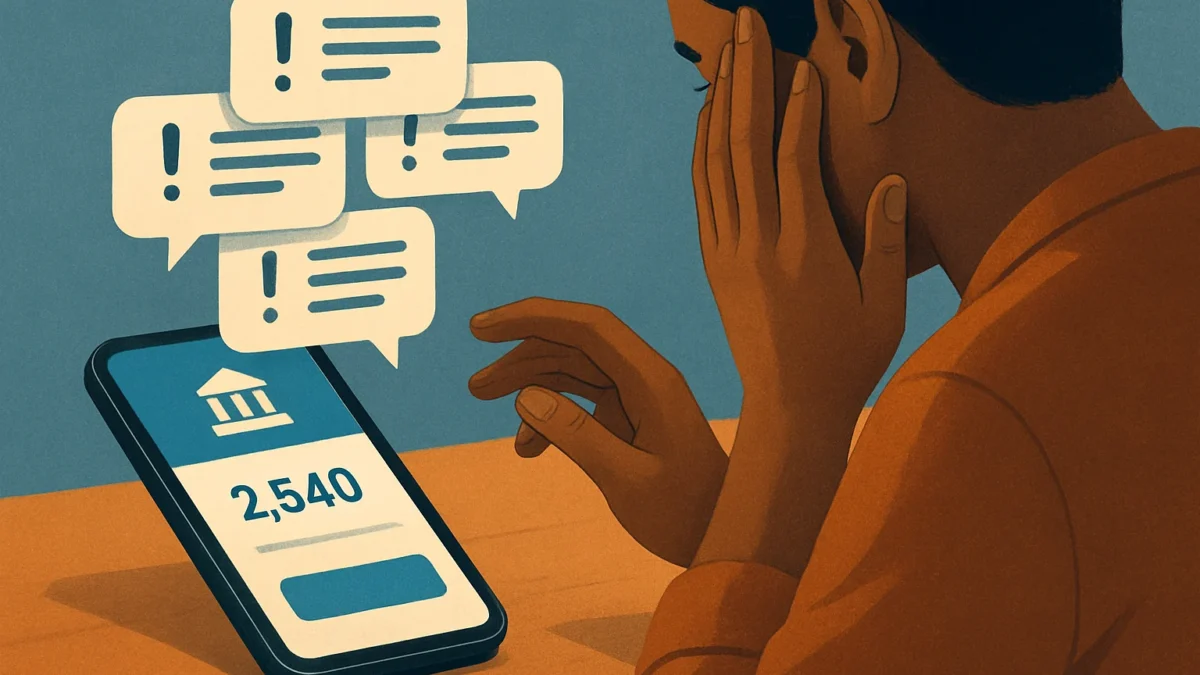
Most viral WhatsApp messages urging people to withdraw cash after a supposed bank website hack are fearmongering or scams. Banks and regulators advise checking official bank app/SMS alerts, transaction history and contacting your bank’s fraud helpline before acting.
WhatsApp messages warning people to withdraw cash after a bank website hack are genuine and everyone should withdraw their savings immediately.
Key takeaways
- Do not act on forwarded WhatsApp alerts without verifying through official channels.
- Check your bank app, SMS transaction alerts and UPI/IMPS history first.
- If you see unauthorised debits, call your bank’s official fraud number immediately and block your cards/UPI PIN.
- Scammers use spoofed SMS/WhatsApp texts and urgent language to push victims into mistakes.
In this article
The viral claim
Forwarded WhatsApp messages circulating after reports of a hacked bank website say customers must immediately withdraw their cash because their money is at risk. Some messages name a central bank or claim multiple banks were hacked and urge recipients to visit ATMs or transfer funds to a “safe” account.
What we found
Authorities and credible news checks show these WhatsApp warnings are mainly fearmongering or outright scams, not verified bank advisories. Multiple Malaysian banks experienced short service disruptions in early November, which sparked social-media rumours. But central banks and the banks involved repeatedly told the public to rely only on official statements and not on forwarded messages.
Key evidence:
- Official denials and guidance: Bank regulators and individual banks regularly publish statements saying they will not ask customers to withdraw funds or move money to unknown accounts. They advise checking the bank’s official website, mobile app and customer helpline for verified information.
- Fake transaction alerts are common: Fact-checks and news outlets have documented SMS and WhatsApp messages spoofing bank sender IDs to show fake debit/withdrawal alerts. Scammers often add a phone number or link that directs victims toward social-engineering traps.
- Technical scams exist: Security advisories from national CERTs and fraud bureaus describe malware, WhatsApp scams and SMS‑spoofing campaigns that aim to trick recipients into replying, clicking or revealing OTPs and UPI PINs. Replying to a scam message or calling the number given can lead to further compromise.
Sources used: bank regulator statements, national CERT advisories, regional fact-checks and reporting on SMS/WhatsApp spoofing and bank service disruptions.
Also read: Fact-check: Income tax notice WhatsApp forwards are usually fake · ₹399 annual recharge scam: How to spot this recharge scam fast
Why this claim spreads
- Urgency and fear: Messages ask recipients to act immediately, which reduces verification time and increases panic-driven responses.
- Authority mimicry: Scammers copy bank logos, sender codes and official-sounding language to appear legitimate.
- Confirmation bias: When a bank faces real but limited service disruption, people are more likely to believe related forwarded warnings.
- Monetary motive: The end goal is often to get people to call a number, share OTPs, install malicious apps or move money to mule accounts controlled by fraudsters.
How to verify such claims yourself (step-by-step)
- Don’t reply or call numbers in the forward. Treat any phone number or link in a forwarded message as suspicious.
- Check your bank app and official SMS alerts first. Open your bank’s official mobile app or netbanking site (not links in the message) and check recent transactions or any security notices.
- Look at SMS transaction history and UPI/IMPS logs. On your phone, search SMS for bank transaction alerts. In UPI apps, view the transaction history for any unauthorised debits. If nothing shows, the WhatsApp alert is likely false.
- Call your bank using a number from your bank card or official website. Do not use a number provided in the forwarded message. Ask the fraud or customer-care team to confirm any issue and to block your account if needed.
- If you see unauthorised debits, act fast: Block the debit/credit card and reset UPI PIN immediately. Lodge an FIR / cyber complaint if money was lost and report to your bank’s fraud desk for chargeback/claim procedures.
- Scan your phone: If you clicked a link or installed an app after seeing the message, run a reputable mobile security scan and consider factory-resetting if you suspect malware. Change bank login passwords and your device’s lock codes afterwards.
- Report the message: Save a screenshot and report the number to your bank, your national CERT/helpline and the messaging app’s abuse/report feature.
Quick checklist (one-minute)
- Open your bank app — any real withdrawal will show there.
- Check SMS for bank transaction alert.
- Don’t call or click numbers in the forwarded message.
- Call your bank’s official helpline if unsure.
How to avoid similar scams
- Keep the bank-registered mobile number updated and enabled for SMS alerts.
- Never share OTP, UPI PIN or netbanking passwords over phone or chat.
- Enable app-screening and install apps only from official stores.
Do not act on forwarded cash-withdrawal WhatsApp alerts. Verify with your bank app or official helpline first. If you find unauthorised transactions, block cards/UPI and report to your bank and cybercrime authorities immediately.
Frequently asked questions
If I get a WhatsApp message saying my bank was hacked, should I withdraw cash?
No. First check your bank app and SMS transaction alerts. Banks will post verified notices on their official site or app. Withdrawing cash because of an unverified forward can make you vulnerable to scams.
How can I tell a fake bank transaction SMS from a real one?
Real bank SMS use consistent sender IDs and will match transactions shown in your bank app. Do not trust messages with unfamiliar links or urgent phone numbers; cross-check with your bank app and call the bank using the number on their website or card.
I replied ‘NO’ to a fake debit WhatsApp alert — am I at risk?
Replying can sometimes engage scammers. If you did not click links or share OTPs, check your account and SMS alerts, change passwords if needed, and contact your bank’s fraud desk to be safe.
What should I do if money is missing from my account after such a message?
Immediately contact your bank’s fraud helpline to block the account/card, file a dispute for unauthorised transactions, and file a police/cybercrime complaint. Keep screenshots and SMS logs as evidence.