Muse Instagram DMs: where it’s available, what it does and privacy
Clear explainer on Muse in Instagram DMs: which countries can use it, what Muse can and cannot do, how it uses message data, how to enable/disable it, and privacy tips for India.

Meta has added its Muse AI assistant into Instagram DMs in a limited rollout (U.S., Canada, Mexico, Japan and Singapore). Muse can read shared posts, organise saved content and act on your approval; it uses data from your Muse+Instagram connection but Meta says Muse activity won’t be used for ads. India is not in the initial rollout.
Key takeaways
- Muse in Instagram DMs is rolling out to five countries (U.S., Canada, Mexico, Japan, Singapore). India is not included yet.
- Inside DMs Muse can summarise posts, organise saved Collections, plan trips and take actions only after your approval.
- Meta says Muse runs in a separate Muse environment and that Muse content won’t feed ad targeting, but it still has access to message content when enabled.
- You can connect or disconnect Muse from Instagram and control who can message you; use message-request settings and account privacy to limit exposure.
- Some technical and privacy details remain unclear; we list what Meta has confirmed and what is not yet public.
In this article
What happened
On November 24, 2026 Meta began rolling Muse — its personal AI agent — directly into Instagram direct messages (DMs). The change means users in selected launch markets can now open a DM thread with Muse, share a post or reel, and ask Muse to summarise content, create plans (itineraries, grocery lists) or act on saved posts without switching to the standalone Muse app.
Key details
| Fact | Detail |
|---|---|
| Date announced | November 24, 2026 |
| Availability | Rolling out on iOS and Android in: United States, Canada, Mexico, Japan, Singapore |
| Cost | No extra charge for users in launch markets (standard app usage applies) |
| What it can do | Summarise posts/threads, organise saved posts into Collections, make itineraries/grocery lists, catch up on missed DMs and perform actions after user approval |
| India status | Not in initial rollout; Meta has not published an India launch date |
Also read: WhatsApp Close Friends: 9 Status privacy settings Indians need · Instagram Content Protection: what the new copyright tools do
What changes for you
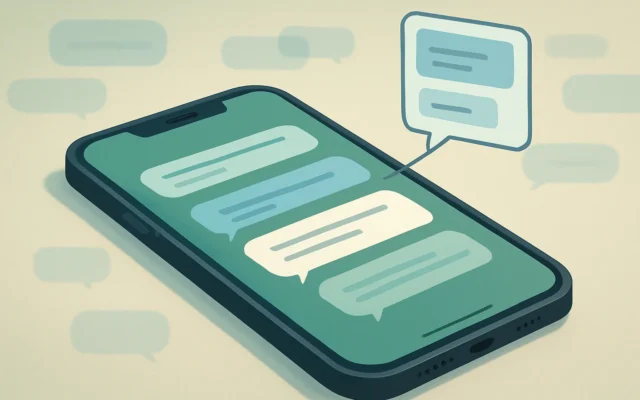
If you are in one of the launch countries, Muse appears as a thread in your Instagram DMs and as a side chat inside the Muse app. You can share a post or saved reel with Muse and ask it to act — for example, turn a saved recipe into a grocery list or turn travel content into an itinerary.
Muse will not publish, send or finalise actions without your approval, according to Meta’s announcement. Conversations started in Instagram show up in the main Muse app so your requests and Muse’s responses are accessible across both surfaces.
What Muse can’t (or shouldn’t) do inside Instagram DMs
- Muse won’t automatically post or message others without your explicit approval.
- It can’t access accounts or services you haven’t connected to Muse.
- It does not replace Instagram’s core moderation or notification settings.
How Muse uses your data and message content
Meta says each Muse assistant runs in a separate Muse environment and that chats are stored so the agent can remember user preferences. The company has stated Muse content is not used in its advertising systems. However, Muse necessarily accesses message content and any saved posts you ask it to process while you use the feature.
Important: Meta’s public statements say you can ask Muse to forget information and undo actions, but asking Muse to forget does not necessarily remove the original message from Instagram — only the Muse memory is affected. Independent reporting and Meta’s own filings note that Muse can connect across services (email, Instagram, connected third-party tools) when you grant permissions, so consider scope before enabling integrations.
How to use or get it (if you’re in a launch country)
- Update Instagram to the latest iOS or Android version.
- Open Messages in Instagram and look for a Muse thread or a prompt when you save a post (the rollout is gradual).
- Tap the Muse thread, send a message or share a post with the thread, then approve any action Muse suggests before it completes it.
- To manage Muse permissions, open the Muse app (if installed) or Instagram settings and look for connected apps/AI controls — disconnect or change permissions if you want to stop sharing content.
Note: If you don’t see Muse yet, the feature may not have reached your account. Rollouts are often staged over days or weeks.
Practical privacy settings and alternatives for Indian users
Because India is not in the initial rollout, Indian users don’t get Muse in DMs right now. If you want to prepare or limit exposure once it arrives, do the following:
- Set your Instagram account to private (Settings → Privacy → Account Privacy) to limit who can message you.
- Use Message Controls to restrict who can send you DMs or place unknown senders into Message Requests only.
- Limit connected apps: check Meta/Instagram connected apps and revoke third-party permissions you don’t need.
- When Muse appears, avoid connecting sensitive accounts (email, banking) to Muse until you’re comfortable with the permissions and documented data-handling policies.
What we still do not know
- Exact India launch date — Meta has not confirmed when Muse in Instagram DMs will roll out to India.
- Full technical details of data retention, deletion and the mechanics of the “forget” command in relation to original Instagram messages.
- Whether Muse in DMs will be offered with different features in different markets (some saved-post features launched only in the U.S. and Canada).
- How Muse’s access to Instagram content will be audited independently or regulated in India when it launches.
Bottom line
Muse in Instagram DMs makes Meta’s agent easier to reach in places people already browse and saves time when you want an assistant to act on posts. For Indian users, the immediate takeaway is: it’s not live here yet. When it arrives, treat Muse like any app that can read your messages — review permissions, use privacy controls and avoid connecting highly sensitive accounts until you’re satisfied with the safety details.
If you live in a launch country and value quick planning and post-summarising, try Muse in DMs but review permissions first. Indian users should wait for an official India release and prepare by tightening DM and app-connection settings now.
Frequently asked questions
Is Muse already available in India on Instagram DMs?
No. Muse in Instagram DMs is rolling out first to the United States, Canada, Mexico, Japan and Singapore. Meta has not announced an India release date.
Will Muse read my private DMs?
Muse can access message content when you use the feature because you are interacting with it in a DM thread. Meta says Muse won’t act without your approval and that Muse data is separated from ad systems, but message content is processed by the agent.
How do I stop Muse from seeing my Instagram content?
Do not enable Muse or disconnect it from Instagram. Also remove third-party app permissions and set your account to private. When Muse appears, use Instagram and Muse app settings to revoke access.
Can Muse post or message people without permission?
Meta says Muse will not publish, send or finalise actions without your approval. It can propose actions, but you must confirm them before they run.
Will Muse’s activity be used for personalised ads?
Meta has stated that Muse conversations are not used in its advertising systems. However, details on internal data handling and retention are limited, so treat the claim as a company statement rather than an independent guarantee.