How to opt out of UPI 0.4% charge on transfers above ₹2,000
Step-by-step guide to opt out or contest the UPI 0.4% charge on merchant transfers above ₹2,000, with app-specific steps, message templates and verification checks.

You cannot globally 'turn off' the NPCI 0.4% Merchant Discount Rate (MDR) — it applies to eligible merchant (P2M) transactions above ₹2,000. But you can (1) confirm the charge won’t apply for P2P transfers, (2) request exemption if eligible (e.g., small merchants, P2PM) via your bank/app support, and (3) check transaction receipts or bank statement to confirm exemption.
Key takeaways
- 0.4% is an NPCI-set MDR for select merchant payments above ₹2,000, not a consumer platform fee.
- P2P (person-to-person) transfers remain free — only certain P2M merchant payments are in scope.
- You can’t flip a universal ‘off’ switch — use bank/app support to request exemption or contest a charge.
- Follow app-specific steps, save proof, and verify with a short bank statement or UPI receipt.
In this article
Who this is for and what you need
This guide is for Indian smartphone users who see the new UPI rule (0.4% MDR on certain merchant payments above ₹2,000) and want practical steps to opt out, request exemption or contest a levy. You need your phone with the banking UPI app, your bank account details, a recent transaction ID or screenshot showing the charge (if any), and your registered mobile number.
Step-by-step
- Check whether the transaction is P2P or P2M. P2P (sending money to friends, family or your own accounts) remains free under NPCI rules; only person-to-merchant (P2M) payments to businesses may attract MDR above ₹2,000.
- Open the app you used to pay (Google Pay, PhonePe, Paytm, or your bank app). On Android and iPhone the UPI flow is the same; open the transaction history or ‘Payments’ section and locate the specific payment.
- Note the transaction ID, merchant name, date and amount. Take a screenshot showing the charge or any line that mentions MDR, fee, or merchant commission.
- Find the app’s ‘Help’ or ‘Support’ option. On Google Pay and PhonePe this is inside Profile > Help; on Paytm use App Menu > 24×7 Help; in bank apps use Support/Contact Us. For Android the menu icon is usually top-left; on iPhone check bottom tabs.
- Use the built-in ‘Chat’ or ‘Raise a ticket’ to request exemption or contest the charge. Paste the transaction ID, screenshot, and say: “I did a P2M payment of ₹[amount] on [date]. I believe this should be exempt. Please confirm and refund any wrongly charged MDR.”
- If chat fails, call the bank’s UPI helpline. Use the bank’s customer-care number (found in-app or on the bank’s site). Keep transaction details ready and ask for a complaint/ticket number.
- For merchants or small businesses: check eligibility for P2PM zero-MDR status. If you accept payments as a micro/registered small merchant, ask your acquiring bank for P2PM classification paperwork — NPCI has mandatory zero MDR categories for many small sellers.
- Send a written email template (sample below) if needed. Use the bank’s registered support email and attach the screenshots and transaction ID for a formal dispute.
- Verify refund or exemption. After support confirms, check the app transaction details and your bank statement within 3-7 working days. Look for the original transaction and a reversal or annotation that shows ‘MDR waived’ or similar.
- Escalate if unresolved. If bank/app support does not resolve within their promised SLA, escalate to the nodal officer listed on the bank’s website, and keep the complaint numbers as proof.
Sample message to send in app chat or email
Subject: Contest MDR / Request exemption for UPI txn ID [TXNID]
Message: I made a UPI payment to [merchant name] of ₹[amount] on [date], UPI ID [vpa]. I believe the 0.4% MDR should not apply / I am eligible for exemption. Please review TXN ID [TXNID], waive any charge and refund if already debited. Attached: screenshot of payment and bank alert.
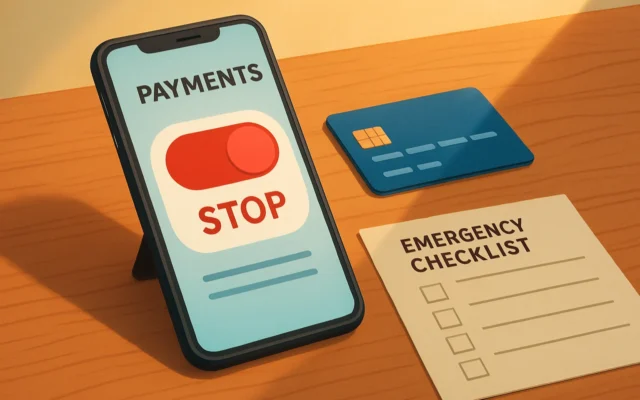
Also read: How to use RBI’s Stop Switch to block UPI & card frauds · AI voice cloning scam: How fraudsters trick UPI users
Common problems and fixes
- Problem: Support says charge is NPCI policy and can’t be reversed. Fix: Ask for the bank’s written refusal and the reason. If you’re a P2PM merchant eligible for zero MDR, provide registration docs and request reclassification.
- Problem: Merchant passed the charge to you despite rules. Fix: Ask the merchant to refund the MDR portion or request the bank to mediate; save receipts and take a photo of the merchant’s billing machine if possible.
- Problem: You paid via card or Tap-to-Pay and saw a charge. Fix: Card transactions are outside this NPCI MDR change; contest via the bank’s card dispute process.
- Problem: App UI is different on Android vs iPhone. Fix: On Android the three-line menu may be top-left; on iPhone use the bottom tab bar. Search for ‘Help’ or ‘Transactions’ if you can’t find the exact menu.
Tips
- Always keep a screenshot of the UPI success screen and the SMS/notification from your bank — these are the fastest proofs for disputes.
- Small merchants should ask their acquiring bank about P2PM classification to avoid MDR; some categories are automatically zero-rated under NPCI rules.
- Check transaction amounts carefully—NPCI MDR applies only above ₹2,000 for specified P2M payments; many everyday payments remain exempt.
- Save complaint/ticket numbers and follow up in writing; escalation helps if refunds are delayed beyond the bank’s SLA.
Android vs iPhone differences
Most UPI apps keep the same features across platforms, but menu placement differs. Android apps often use a top-left hamburger menu; iPhone apps prefer a bottom tab bar. Screenshots on Android use Power + Volume Down; on iPhone use Side Button + Volume Up (model-dependent). Attach the screenshot and transaction ID in your support chat to speed up the process.
NPCI’s 0.4% MDR is a targeted merchant levy; ordinary person-to-person UPI transfers remain free. If you see a charge, follow the steps above to raise a dispute, provide proof and ask your bank or app for refund or exemption. Small merchants should contact their acquiring bank for P2PM classification immediately.
Frequently asked questions
Does the 0.4% UPI charge apply to sending money to friends?
No. The NPCI framework says P2P (person-to-person) UPI transfers remain free. The 0.4% MDR applies to select person-to-merchant (P2M) payments above ₹2,000.
Can I disable the 0.4% charge in my UPI app settings?
No universal setting exists to switch off the MDR. You must contest a specific charge via the app or bank support if you believe it was applied incorrectly or you are eligible for exemption.
How long does a bank take to refund a wrongly charged MDR?
Banks typically resolve UPI disputes within their stated SLA—usually a few working days to 7–15 days depending on the bank. Keep the complaint ID and follow up if it exceeds the bank’s timeline.
Are any merchant categories exempt or charged a flat fee instead?
Yes. NPCI lists certain public services (fuel, telecom, railways, insurance, and agricultural inputs) that may attract a flat ₹5 fee for transactions above ₹2,000 instead of 0.4%, and some small merchants/P2PMs may have mandatory zero MDR status. Check with your bank or NPCI notifications.
What proof should I attach when disputing an MDR charge?
Attach the UPI success screen screenshot, bank/SMS alert, transaction ID, merchant details and any invoice. These speed up verification and increase chances of a quick refund if the charge was incorrect.