Malicious UPI APKs: How to spot fake UPI apps like iBazo
Learn how to spot fake UPI apps (malicious APKs) like iBazo, step-by-step checks, red flags and immediate actions to lock your UPI and report fraud.

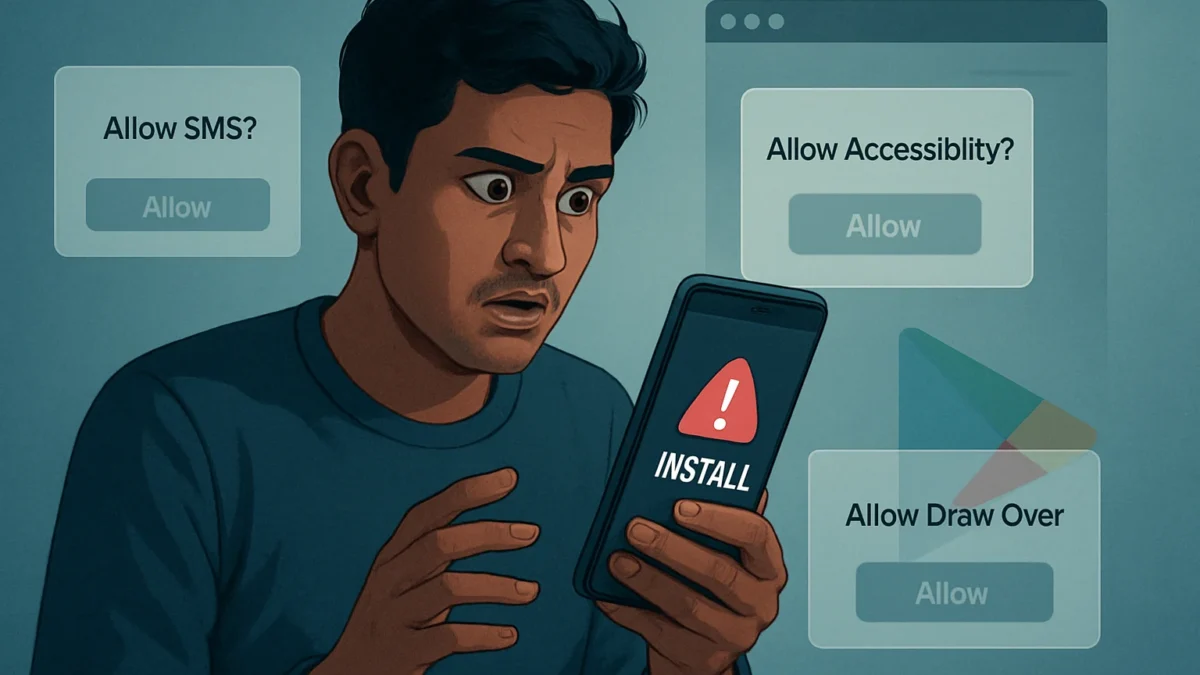
Fake UPI apps are often distributed as APKs outside the Play Store; check the app source, package name, permissions, UPI flow (collect vs intent), and app signature/screenshots. If you installed a suspicious app, disconnect the phone, inform your bank, change UPI PIN, and report at 1930/cybercrime.gov.in immediately.
Key takeaways
- Never sideload UPI/payment apps — prefer Play Store entries with matching developer names.
- Check package name, permissions (SMS, Accessibility, draw-over), and UPI intent behaviour before entering any PIN.
- If targeted, disconnect data, contact your bank, change UPI PIN and report to 1930 and cybercrime.gov.in.
- NPCI and platforms are engaging to curb APK-based UPI frauds, but user checks remain essential.
In this article
How the scam works (step by step, as the victim experiences it)
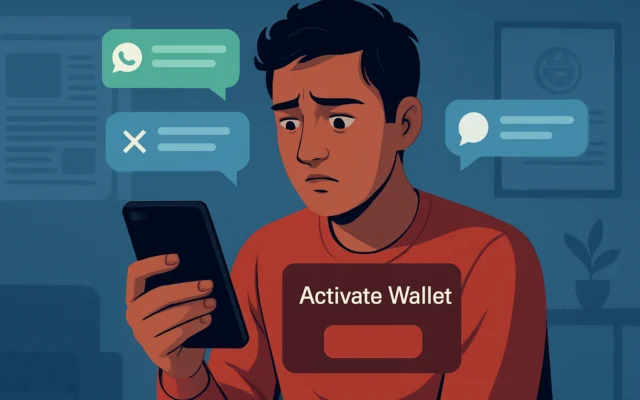
1) Lure: You get a message (WhatsApp/SMS/phone call) saying you must install/update an app — maybe for e-challan, subsidy, pension or a merchant refund. The message contains a download link for an APK or points to a fake Play Store page. Attackers often pressure you to install quickly.
2) Install: You enable “install from unknown sources” and install the APK. The app may look like a legitimate payments or bank app, with copied logos and screenshots. Criminals sometimes host replicas of Play Store pages to convince victims. Recent coverage shows operations distributing malicious APKs that impersonate financial apps and merchant pages. ([the420.in](https://the420.in/npci-google-android-upi-fraud-security/?utm_source=openai))
3) Permissions & device control: The fake app asks for broad permissions — SMS, full network access, accessibility service or draw-over-other-apps. These let malware read OTPs, overlay fake UPI screens, or actively control the device. CERT-In and security researchers have warned about APK malware that steals OTPs and shows fake screens. ([cert-in.org.in](https://cert-in.org.in/s2cMainServlet?VLCODE=CIAD-2026-0046&pageid=PUBVLNOTES02&utm_source=openai))
4) Trick payment flow: The app either (a) prompts a fake UPI collect/QR and intercepts the confirmation, or (b) triggers a UPI intent that opens a genuine UPI app but overlays a fake PIN/OTP prompt to capture credentials. Victims think they’re authorising a payment, but the attacker captures the UPI PIN/OTP or hijacks the session. Security firms have analysed malware families that use overlays and remote control to steal banking credentials. ([vulnpocalypse.dev](https://vulnpocalypse.dev/advisories/the420in-reports-android-banking-trojan-network-targeting-six-indian-banks/?utm_source=openai))
5) Money moves out: With the PIN/OTP or active control, attackers initiate UPI transactions from your linked bank accounts. Local police news shows victims losing lakhs after installing apps named like “iBazo.” These are real reports and highlight how quickly funds can be moved. ([hyderabadmail.com](https://hyderabadmail.com/hyderabad-yakutpura-man-loses-rs-3-6-lakh-upi-fraud-ibazo-app/?utm_source=openai))
Red flags to spot
- Source is an APK download link (not the Play Store) or a suspicious “Play-like” web page. Genuine bank/payment apps are on official stores. ([the420.in](https://the420.in/npci-google-android-upi-fraud-security/?utm_source=openai))
- Developer name, app screenshots or reviews don’t match the bank/brand; low installs or very new registration dates. Check Play Store details carefully. ([knowledgebase.bison.co.in](https://knowledgebase.bison.co.in/view_article.php?id=3008&utm_source=openai))
- Package name looks unrelated to the app name (example: com.xyz.fakebank). Real apps have consistent package names; you can compare with the Play Store listing. ([knowledgebase.bison.co.in](https://knowledgebase.bison.co.in/view_article.php?id=3008&utm_source=openai))
- Excessive permissions: request for SMS read, Accessibility, draw-over-other-apps or device admin for a simple payments app. These are major red flags. ([cert-in.org.in](https://cert-in.org.in/s2cMainServlet?VLCODE=CIAD-2026-0046&pageid=PUBVLNOTES02&utm_source=openai))
- UPI flow asks you to enter PIN/OTP inside the app screen instead of opening your UPI app for confirmation, or shows strange QR/collect links asking for immediate payment. Verify every collect request in your UPI app. ([tomsguide.com](https://www.tomsguide.com/computing/malware-adware/new-android-banking-trojan-lets-hackers-stream-a-live-feed-from-your-phone-and-control-it-in-real-time-how-to-stay-safe?utm_source=openai))
- Urgent social messages pressuring you to install the app right away. Scammers use urgency to bypass checks. ([expresscomputer.in](https://www.expresscomputer.in/news/cloudsek-identifies-android-malware-operation-targeting-indian-bank-customers/140594/?utm_source=openai))
Also read: UPI Vyapaar Saksham scams: spotting fake QR and soundbox offers · NPCI asks Google to fix Android security gaps affecting UPI
What to do if you have been targeted
- Immediately disconnect internet: Turn off mobile data and Wi‑Fi. This can stop further remote control or outgoing transactions in progress.
- Contact your bank: Inform them about suspected unauthorised UPI transactions and request an immediate block on UPI/UPI apps linked to your number. Ask the bank to reverse or investigate transactions — act fast; the first hour is critical. ([pib.gov.in](https://www.pib.gov.in/PressReleasePage.aspx?PRID=2307871&lang=2®=48&v=9&utm_source=openai))
- Change UPI PIN: From your UPI app (not from the suspicious app). If you cannot access the UPI app, tell the bank to de-register your UPI handle temporarily.
- Report to authorities: Call the National Cyber Crime Helpline on 1930 and file a complaint on the National Cybercrime Reporting Portal (cybercrime.gov.in). These are the official channels for cyber financial fraud in India. ([nirmawebsite.s3.ap-south-1.amazonaws.com](https://nirmawebsite.s3.ap-south-1.amazonaws.com/wp-content/uploads/2024/07/AW_ED_5_instructions_citizenreportingcyberfrauds.pdf?utm_source=openai))
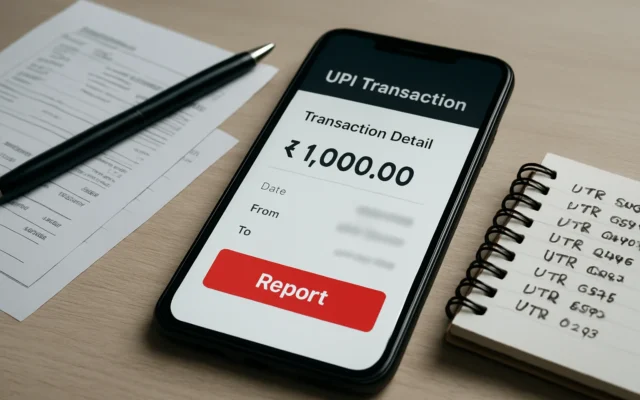
- Preserve evidence: Don’t uninstall right away. Take screenshots of the app page, messages that led you to install, transaction IDs, and the suspicious app’s details (package name, developer text). Provide these to police/CERT‑In when asked. CERT‑In advisories and local police also accept malware reports. ([cert-in.org.in](https://cert-in.org.in/s2cMainServlet?VLCODE=CIAD-2026-0046&pageid=PUBVLNOTES02&utm_source=openai))
How to stay safe
1) Only install UPI and banking apps from Google Play (or Apple App Store). If a bank asks for an ‘APK’ or a side install, call the bank’s official number first. Platforms and NPCI are discussing steps to curb APK-based fraud, but user caution is essential. ([the420.in](https://the420.in/npci-google-android-upi-fraud-security/?utm_source=openai))
2) Before installing, check the Play Store entry: developer name, install count, reviews, screenshots, and the exact package name (shown on Play web page). Mismatches are a red flag. ([knowledgebase.bison.co.in](https://knowledgebase.bison.co.in/view_article.php?id=3008&utm_source=openai))
3) Refuse permissions not required for the app’s core function. A UPI app should not need Accessibility or device‑admin rights. If asked, stop and verify with the bank. ([cert-in.org.in](https://cert-in.org.in/s2cMainServlet?VLCODE=CIAD-2026-0046&pageid=PUBVLNOTES02&utm_source=openai))
4) Verify UPI collect and intent flows: Real UPI payments should open your chosen UPI app for confirmation. Never enter UPI PIN/OTP into a third‑party app or a screen overlay. If a screen asks for UPI PIN within a non-UPI app, treat it as malicious. ([tomsguide.com](https://www.tomsguide.com/computing/malware-adware/new-android-banking-trojan-lets-hackers-stream-a-live-feed-from-your-phone-and-control-it-in-real-time-how-to-stay-safe?utm_source=openai))
5) Keep backups and security: Regularly update Android, avoid installing unknown APKs, use Play Protect and a reputable mobile security app, and enable device Find/Remote‑wipe features.
Quick note on iBazo
Local police reports in November 2026 describe victims who lost money after installing an app called “iBazo.” These reports show the real-world harms of malicious APK distribution and mimic the overlay/intent attacks described above. If you received a link to install iBazo or similar APKs, follow the steps above immediately. ([hyderabadmail.com](https://hyderabadmail.com/hyderabad-yakutpura-man-loses-rs-3-6-lakh-upi-fraud-ibazo-app/?utm_source=openai))
Treat any unsolicited APK for payments as high-risk. If you’ve installed a suspicious app, disconnect internet, inform your bank and report to 1930/cybercrime.gov.in immediately. Regular users should stick to official Play Store apps and verify package names and permissions.
Frequently asked questions
How can I check an app's package name on Android?
Open the Play Store page on a browser; the package name appears at the end of the URL (example: com.bankname.app). On-device you can check App Info > App details in store or use a settings app that shows package names. Mismatches between name and package are a red flag.
What permissions should a UPI app never ask for?
A legitimate UPI app typically needs phone number and network access. It should not require Accessibility service, device‑admin, or always‑on draw‑over permissions. If it asks for SMS read/write, Accessibility or device admin, do not grant them without verifying the app with the bank.
I clicked an APK link but didn't install. Am I safe?
If you only opened a web link but did not download or install an APK and did not grant permissions, your phone is likely safe. Still run a quick security scan, avoid clicking the same link again, and report the message if it looks malicious.
How fast should I act after seeing an unauthorised UPI transaction?
Act immediately — contact your bank and report the fraud the same hour. The government and banks stress that early reporting increases chances of containment and recovery. Also call 1930 and file a complaint on cybercrime.gov.in.
Can Google/Play Protect stop malicious APKs?
Play Protect and platform safeguards help, but criminals distribute APKs outside Play Store and create fake store pages. NPCI and platforms are discussing stronger measures, but users must avoid sideloading and check app details before installing. ([the420.in](https://the420.in/npci-google-android-upi-fraud-security/?utm_source=openai))
Sources
- NPCI, Google in Talks to Stop UPI Fraud Through Malicious APKs – The 420.in
- Advisories
- Android banking trojan targets six Indian banks, report | Vulnpocalypse
- Yakutpura man loses Rs 3.6 lakh after installing iBazo App – Hyderabad Mail
- Is iBazo App Legit or a Scam? Safety Review
- New Android banking trojan lets hackers stream a live feed from your phone and control it in real time – how to stay safe
- CloudSEK identifies Android malware operation targeting Indian bank customers – Express Computer