UPI Vyapaar Saksham scams: spotting fake QR and soundbox offers
How to spot fake UPI Vyapaar Saksham QR/soundbox offers, what NPCI actually announced, and step-by-step checks and reporting for merchants.


NPCI has announced a UPI Vyapaar Saksham incentive for banks to encourage QR and soundbox rollout (roughly ₹300 per QR, ₹750 per soundbox under eligibility rules). Scammers are using fake messages, calls and WhatsApp forms to trick merchants — verify any offer with your bank branch, NPCI member bank portal, or official bank SMS, and report suspicious contacts to 1930 and cybercrime.gov.in.
Key takeaways
- NPCI’s scheme pays banks, not merchants directly — merchants should not pay in advance to claim subsidy.
- Scammers use urgent SMS/WhatsApp/IVR scripts asking for OTPs, payment, or ‘registration fees’.
- Always verify with your bank branch, official bank SMS or NPCI documentation before sharing details.
- If targeted, call 1930, report at cybercrime.gov.in and inform your bank immediately.
In this article
- What NPCI actually announced (short)
- How the scam works (step by step, as the victim experiences it)
- Red flags to spot
- Sample scam messages and scripts (realistic examples you may receive)
- What to do if you have been targeted
- How to stay safe — step-by-step verification before claiming any subsidy or buying equipment
- Final note
- Frequently asked questions
- Sources
What NPCI actually announced (short)
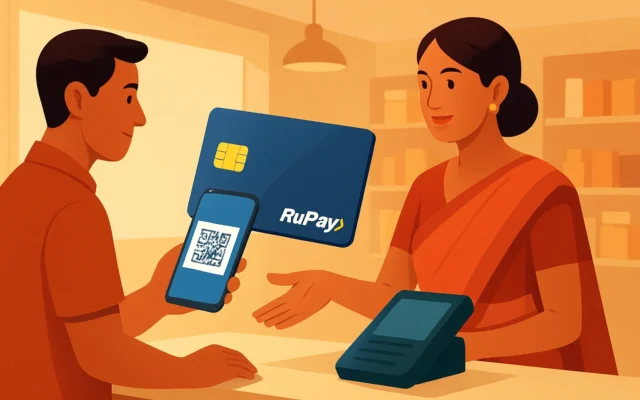
NPCI has introduced the UPI Vyapaar Saksham scheme to expand UPI acceptance among small merchants. Under the announced framework, acquiring banks can claim incentives for onboarding eligible small merchants with physical QR codes and UPI soundboxes — media reports show figures of about ₹300 per physical QR and ₹750 per soundbox, subject to eligibility, transaction minimums and quarterly settlement rules. The incentive is paid to banks (or acquiring members) after merchant-onboarding conditions are met; merchants do not directly receive automatic cash via SMS or WhatsApp.
How the scam works (step by step, as the victim experiences it)
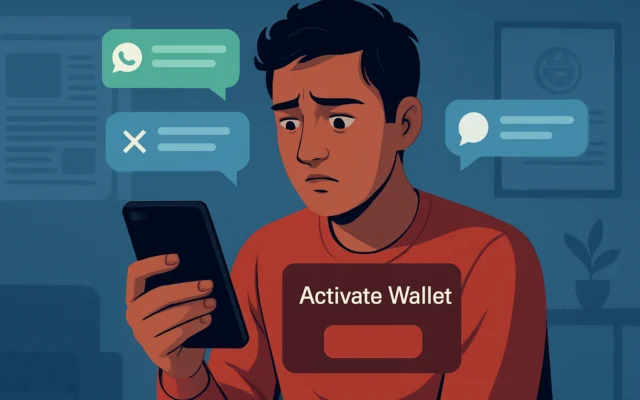
- Contact out of the blue. Merchant gets an SMS, WhatsApp message, missed call or IVR that claims they qualify for the UPI Vyapaar Saksham subsidy for installing a QR or soundbox. The message looks official and may use the words “NPCI”, “UPI Vyapaar Saksham”, or a bank name.
- Creates urgency and a small fee pretext. The message says to claim the incentive the merchant must register, pay a small ‘processing fee’, or confirm KYC via a link or by sharing an OTP. It may threaten losing the benefit if not acted on within 24–48 hours.
- Phishing link or form. Merchant is asked to click a link or open a WhatsApp form that asks for bank A/C number, UPI ID, Aadhaar, PAN, OTP or to enter a one-time token — often framed as ‘‘verification’’ or ‘‘accept terms’’. The site may mimic a bank or NPCI page.
- IVR call asking for OTP/UPI approval. Sometimes an automated call uses NPCI/bank language and asks the merchant to press a number or enter an OTP to ‘‘confirm’’ the incentive. If the merchant enters the OTP or authenticates a UPI prompt, fraudsters initiate transactions or link the account to malicious apps.
- Pressure to buy equipment from a named vendor. Scammers may offer a low-cost QR stand or soundbox, asking the merchant to pay up-front to a phone number or UPI ID; they promise to refund or pass on the NPCI subsidy later — which never happens.
- Loss and follow-up social engineering. Once credentials/OTPs are shared, attackers may drain funds, add payee accounts, or push malware. They then continue pressure to ‘‘resolve’’ the issue — further tricking the merchant to share more details or pay to recover losses.
Also read: Paytm wallet scam: fake revival messages and phishing warnings · How to raise UPI complaint in India: step-by-step guide
Red flags to spot
- Unsolicited urgent messages that ask for OTPs, UPI approvals or ask you to click a link.
- Requests to pay a “processing/registration fee” to get the NPCI incentive.
- Messages or callers that ask you to share full bank details, PAN or Aadhaar over WhatsApp/SMS/phone.
- Links that do not match your bank’s official domain, or pages that ask you to install unknown apps.
- Caller ID or SMS sender that looks official but contains minor spelling or number changes.
- Pressure to complete steps immediately or lose the benefit.
Sample scam messages and scripts (realistic examples you may receive)
These are examples of what scammers send. They are shown here so merchants can recognise the pattern — do not try these links or respond.
- SMS: “NPCI: You qualify for UPI Vyapaar Saksham ₹750 soundbox subsidy. Click to claim: hxxp://npci-verify[dot]in/claim. Complete in 24 hrs or benefit cancelled.”
- WhatsApp: “Greetings from . You are eligible for UPI Vyapaar Saksham. Fill KYC form: [short link]. Pay ₹199 processing via UPI to confirm.”
- IVR: “This is an automated message from NPCI. Press 1 to receive your UPI Vyapaar Saksham registration code. To confirm, enter the OTP received on your phone.”
What to do if you have been targeted
- Stop responding immediately. Do not click links, install apps, or share OTPs, UPI PINs or passwords.
- Inform your bank at once. Call your bank’s official helpline (number on your passbook or bank branch) and ask them to block transactions or freeze the account if you shared sensitive details.
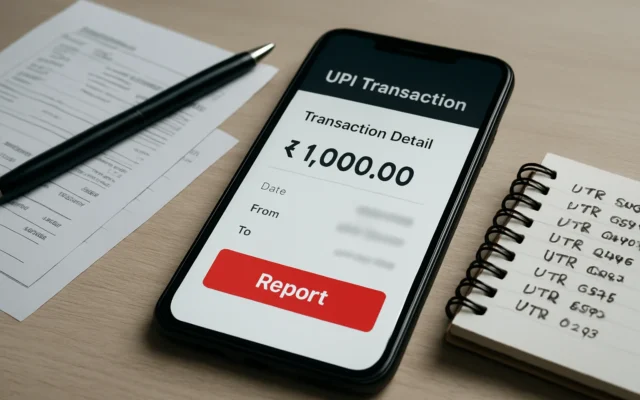
- Report to the authorities. Call the National Cyber Crime Helpline 1930. File a complaint on the National Cybercrime Reporting Portal at cybercrime.gov.in. Provide screenshots, phone numbers, and transaction IDs if available.
- File a police FIR if money is lost. Take the cybercrime portal complaint number to your local police station and ask to register an FIR for financial fraud.
- Change PINs and passwords. Immediately change UPI app PIN and bank login passwords. Uninstall any unknown apps you may have installed and run a malware scan if your phone behaves oddly.
- Inform NPCI member bank branch. If the message used a bank name, visit your branch in person with ID and complain — banks coordinate with NPCI for merchant-related disputes.
How to stay safe — step-by-step verification before claiming any subsidy or buying equipment
- Remember: NPCI pays banks, not merchants directly. Any legitimate incentive scheme is routed via your acquiring bank or payment service provider. You won’t receive a random cash transfer triggered by clicking a link.
- Check official sources first. Ask your own bank branch or call their official helpline. Verify scheme details against NPCI’s published FAQ or your bank’s merchant services team; do not rely on forwarded WhatsApp messages.
- Never share OTPs or UPI PINs. No bank or NPCI representative will ask for your OTP or UPI PIN to credit a subsidy.
- Ask for written confirmation and invoice. If a vendor offers hardware (QR stand, soundbox), ask for company details, GST invoice and payment terms. Pay only after delivery and after confirming the device is functional with your bank’s merchant onboarding team.
- Verify vendor and device. Use bank-approved device lists or ask your bank which vendors they work with. Check the device has proper NPCI/BHIM-UPI approved branding per guidelines.
- Use bank portal for claims. If you are a merchant and believe you are eligible, ask your acquiring bank how the scheme will be processed—banks submit claims to NPCI and will inform merchants through official channels.
Final note
New schemes create opportunity for genuine benefits and also for fraud. Treat any unsolicited message promising cash, instant approval or asking for OTPs or upfront payments as suspicious. When in doubt, stop and verify with your bank branch or the official channels listed above.
If you’re a merchant, verify any UPI Vyapaar Saksham offer with your bank branch before paying or sharing any details. Skip any request that asks for OTPs, processing fees or app installs from unknown links. If targeted, report to 1930 and cybercrime.gov.in and inform your bank immediately.
Frequently asked questions
Will NPCI pay merchants directly for QR and soundbox installation?
No. NPCI’s announced incentive is intended for acquiring banks/payment service providers who onboard eligible merchants. Merchants should not expect an unsolicited direct cash transfer and should confirm details with their bank.
What documents or steps are required to claim the subsidy?
Claim processing is handled by the acquiring bank. Merchants should not share OTPs or PINs. For device installation, ask your bank which documents they need and request an official confirmation or invoice before paying any vendor.
I already received an SMS asking for a fee to get the UPI Vyapaar Saksham benefit. What should I do?
Treat it as a scam. Do not pay. Take a screenshot, block the sender, and report the message to your bank and to the National Cyber Crime Helpline (1930) and the cybercrime.gov.in portal.
How can I check if a soundbox or QR stand is approved?
Ask your acquiring bank which vendors are approved and check device branding against NPCI/BHIM-UPI guidelines. Do not buy equipment from unknown WhatsApp sellers without an invoice and bank confirmation.
Which phone number and website should I use to report cyber fraud?
Call the National Cyber Crime Helpline at 1930 for immediate help, and file a complaint on the National Cyber Crime Reporting Portal at cybercrime.gov.in. Also inform your bank immediately.