How to use WhatsApp Contacts tab on iPhone — iOS beta guide
Step-by-step iPhone guide to WhatsApp Contacts tab (iOS beta). Find the tab, start calls/chats, manage contacts, privacy and troubleshooting for Indian users.

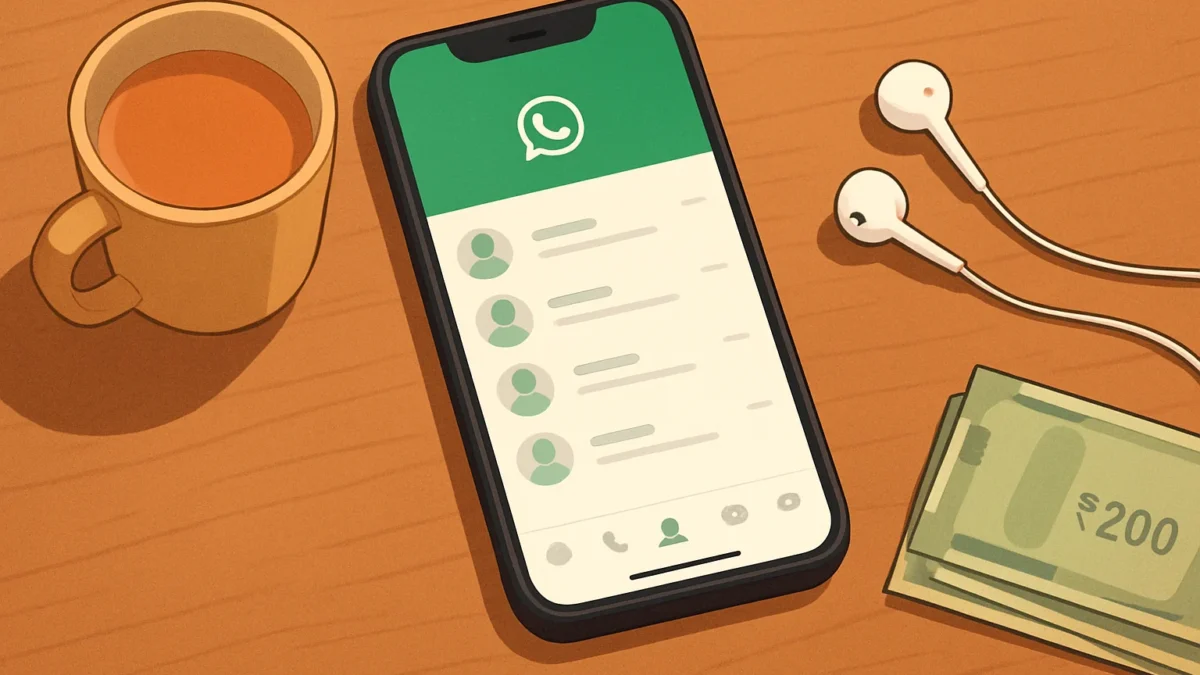
The Contacts tab replaces the Communities tab for some iPhone beta users. Open WhatsApp beta (TestFlight), tap the middle bottom icon labelled Contacts to see favourites, full contact list, online status, and quick call/chat shortcuts. If you don’t see it yet, update to the beta and follow simple troubleshooting steps.
Key takeaways
- Contacts replaces Communities in the bottom bar for some iOS beta users.
- Use the new tab to call, start chats, add contacts and view who’s online.
- You need WhatsApp TestFlight beta (iOS) version ~26.44.10.70 or later to see it.
- If it’s missing, update, restart the app, or leave/rejoin the beta as needed.
- Android still differs — rollout timing and layout may vary between platforms.
In this article
Who this is for and what you need
This guide is for iPhone users in India running WhatsApp through Apple TestFlight (the iOS beta). It shows exactly where the new Contacts tab appears, how to use its calling, chat and contact features, how it differs from the old Communities tab, and quick fixes if you don’t see it yet. You will need WhatsApp beta for iOS (reported beta version around 26.44.10.70) and an iPhone running your current iOS build.
Step-by-step
- Open WhatsApp beta on your iPhone. Use the TestFlight version of WhatsApp if you’re a beta tester — the native App Store release may not have the tab yet. ([wabetainfo.com](https://wabetainfo.com/whatsapp-is-rolling-out-a-new-contacts-tab-on-ios-beta/?utm_source=openai))
- Look at the bottom navigation bar. The Contacts tab sits in the middle position where Communities used to be. It’s labelled “Contacts” and shows an icon similar to a people list. ([wabetainfo.com](https://wabetainfo.com/whatsapp-is-rolling-out-a-new-contacts-tab-on-ios-beta/?utm_source=openai))
- Tap Contacts to open the new hub. The screen groups favourite contacts at the top and your full saved contact list below so you can start chats faster. You may also see small indicators showing who is online. ([timelyups.com](https://timelyups.com/whatsapp-ios-contacts-tab-beta-rollout/?utm_source=openai))
- Start a chat. Tap any contact in the list to open a one-to-one chat. This shortens the steps compared with opening Chats and searching for a name. The Contacts tab is designed to be a quick start place. ([wabetainfo.com](https://wabetainfo.com/whatsapp-is-rolling-out-a-new-contacts-tab-on-ios-beta/?utm_source=openai))
- Make a voice or video call. Tap the contact, then use the call or video icon in the chat header, or use any call shortcut shown in the Contacts view (some beta builds show direct call buttons). Calls use WhatsApp calling and mobile/Wi‑Fi data as usual. ([wafolders.com](https://wafolders.com/blog/whatsapp-communities-tab-replaced-contacts-tab/?utm_source=openai))
- Add a new contact from the tab. Look for a plus or Add contact button inside the Contacts tab to create a contact and save it to your iPhone address book — this avoids leaving the app to add people. The beta may include fields for name, phone and username. ([wafolders.com](https://wafolders.com/blog/whatsapp-communities-tab-replaced-contacts-tab/?utm_source=openai))
- Manage notifications and privacy for contacts. Privacy settings (last seen, read receipts, blocked contacts) remain in Settings → Account → Privacy. Notification controls are still in Settings → Notifications; the Contacts tab does not change global privacy controls. ([wabetainfo.com](https://wabetainfo.com/whatsapp-is-rolling-out-a-new-contacts-tab-on-ios-beta/?utm_source=openai))
- Return to Chats, Calls or other tabs. Use the bottom bar to switch back to Chats, Calls or Profile. Communities remain accessible as chats — only the shortcut moved. Your community groups are not deleted. ([wafolders.com](https://wafolders.com/blog/whatsapp-communities-tab-replaced-contacts-tab/?utm_source=openai))
Also read: Transfer WhatsApp chats between Android and iPhone without losing media · WhatsApp usernames — how they work and the new phone-number privacy
How the Contacts tab differs from Communities
Communities was a shortcut to community groups and announcements. The new Contacts tab focuses on people: favourites, your complete saved contacts, online indicators and shortcuts to call or message. Community chats still exist — they’re just no longer the middle quick-access tab in the beta. The change aims to make starting conversations and calls quicker. ([wabetainfo.com](https://wabetainfo.com/whatsapp-is-rolling-out-a-new-contacts-tab-on-ios-beta/?utm_source=openai))
Common problems and fixes
- I don’t see the Contacts tab. You likely aren’t on the right TestFlight beta build. Check TestFlight for the latest WhatsApp beta update, or reinstall the beta. Reported iOS beta builds showing the tab include 26.44.10.70 or newer, but rollout is gradual. ([timelyups.com](https://timelyups.com/whatsapp-ios-contacts-tab-beta-rollout/?utm_source=openai))
- Contacts show incomplete or missing names. WhatsApp reads names from your iPhone address book. Open the iPhone Contacts app to confirm saved names, then refresh WhatsApp by force‑closing and reopening. Ensure WhatsApp has permission to access Contacts under iPhone Settings → Privacy → Contacts. ([wabetainfo.com](https://wabetainfo.com/whatsapp-is-rolling-out-a-new-contacts-tab-on-ios-beta/?utm_source=openai))
- I see Communities but no Contacts. The feature is rolling out slowly. Wait for the next beta update or leave and rejoin TestFlight to force an update. If you’re not in TestFlight, the public app will likely receive the change later. ([gadgets360.com](https://www.gadgets360.com/apps/news/whatsapp-contacts-tab-ios-update-beta-update-roll-out-features-report-12307861?utm_source=openai))
- Calls or online status missing. Online indicators and call shortcuts are beta features and may change. If calls fail, check mobile data/Wi‑Fi and WhatsApp permissions (Microphone, Camera). Restart the phone if permissions are correct but features still fail. ([wabetainfo.com](https://wabetainfo.com/whatsapp-is-rolling-out-a-new-contacts-tab-on-ios-beta/?utm_source=openai))
Tips
- Pin frequent contacts as favourites (if the beta supports pinning) so they show at the top of Contacts for faster access. ([timelyups.com](https://timelyups.com/whatsapp-ios-contacts-tab-beta-rollout/?utm_source=openai))
- Keep a backup of important chats (Settings → Chats → Chat Backup) before installing or leaving beta builds.
- Android users: WhatsApp is testing similar changes on Android but the layout and rollout timing may differ — Android companion devices may already see a Contacts-style layout. Check Android beta notes separately. ([en.softonic.com](https://en.softonic.com/articles/whatsapp-tests-a-new-contacts-tab-on-iphone-some-beta-users-already-have-it?utm_source=openai))
Short table: Where things moved
| Before (iOS) | Now (beta) |
|---|---|
| Middle bottom tab: Communities | Middle bottom tab: Contacts (people & favourites) |
| Community groups still in Chats | Communities remain as chats, accessible from Chats or search |
If you want to revert
There is no in-app toggle to revert the tab. To return to the public app layout, leave the WhatsApp TestFlight beta and reinstall the stable App Store version. Note that public releases may later adopt the same layout. Always back up chats before switching builds.
Sources and verification
The Contacts tab was spotted in WhatsApp’s iOS beta in recent reports from beta trackers and tech outlets reporting on TestFlight builds; rollout appears gradual and subject to change. If you depend on Communities as a shortcut, rest assured your groups remain in Chats even if the tab moves. ([wabetainfo.com](https://wabetainfo.com/whatsapp-is-rolling-out-a-new-contacts-tab-on-ios-beta/?utm_source=openai))
If you’re an iPhone user who prefers quick access to people and calls, join the WhatsApp iOS beta to try the Contacts tab. If you rely heavily on Communities shortcuts, wait until the public app updates or use Chats to access communities — your groups are not deleted.
Frequently asked questions
Do I need TestFlight to get the Contacts tab on iPhone?
Yes. The Contacts tab is appearing in the WhatsApp iOS beta distributed through TestFlight. Regular App Store users will receive it later if WhatsApp pushes the change to the public release.
Will my Communities disappear when Contacts replaces the tab?
No. Community chats and announcement groups still exist in your Chats list. Only the shortcut in the bottom navigation moves in the beta; content is unchanged.
How do I add a new contact from the new Contacts tab?
Open the Contacts tab and tap the Add contact (plus) button shown in the view. Fill in name and phone fields — the contact saves to your iPhone address book and appears in WhatsApp.
Why don’t I see online status for contacts?
Online indicators are a beta feature and may be limited to some testers or builds. Also, privacy settings and network conditions can prevent live status from showing.
Is the Contacts tab the same on Android?
Android is getting similar tests, but layouts and rollout timing vary by platform and beta channel. Expect differences until WhatsApp releases a final version for both OSes.
Sources
- WhatsApp is rolling out a new Contacts tab on iOS beta | WABetaInfo
- WhatsApp IOS Contacts Tab Beta: What's New
- WhatsApp is swapping the Communities tab for Contacts: where it went | WA Folders blog
- WhatsApp to Bring a New Contacts Tab for iOS as Feature Reportedly Starts Rolling Out in Beta | Technology News
- WhatsApp tests a new Contacts tab on iPhone: some beta users already have it – Softonic