How to Get Snapchat Recap — Enable, Troubleshoot and Fix Missing
Step-by-step guide to enable Snapchat Recap, fix it when it’s missing, and check privacy for Indian users. Fast fixes and deeper troubleshooting for 2026.

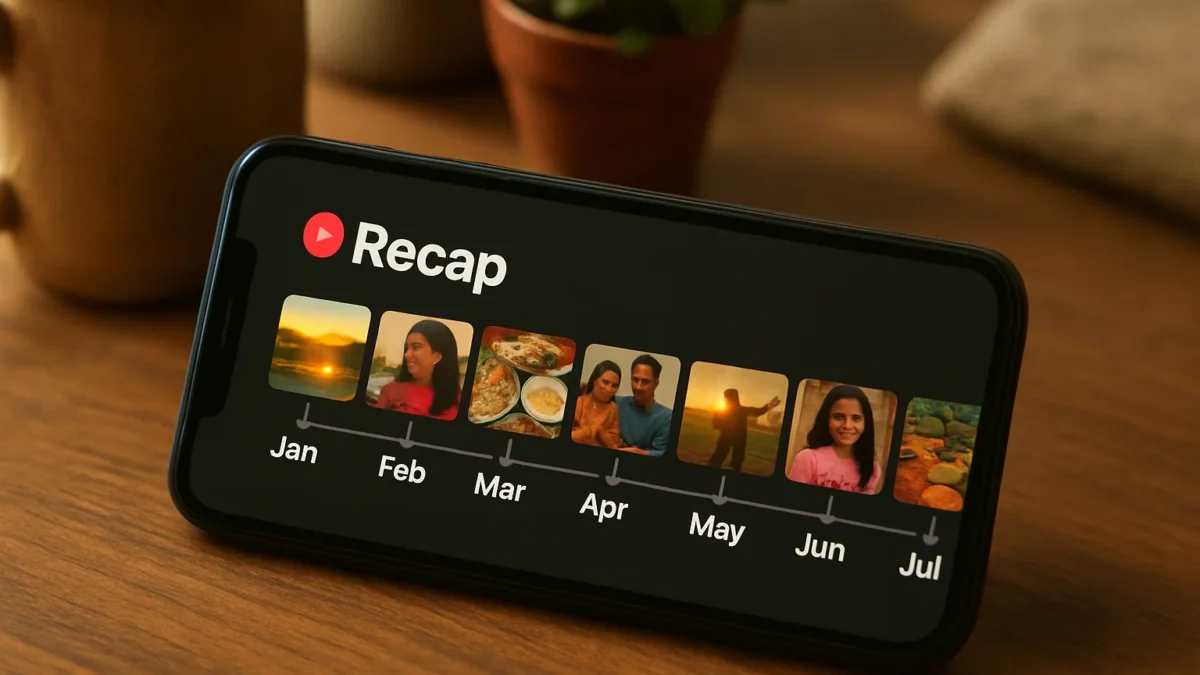
Snapchat Recap is a year‑end video made from Memories. If it’s missing, try these fastest fixes: 1) Update Snapchat, 2) Check Memories/Storage and permissions, 3) Clear app cache or reinstall. If Recap still doesn’t appear, follow the detailed cause-by-cause fixes below and confirm Snap’s rollout status.
Key takeaways
- Snapchat Recap is generated from Snaps saved to Memories; you must have saved Snaps for a Recap to appear.
- Update the app, check Memories storage and app permissions, and restart the app as the fastest fixes.
- Account settings, region rollout and expired Recap notifications can make Recap appear missing.
- If all steps fail, contact Snapchat Support with screenshots and your account details.
- Update Snapchat from Google Play or App Store, then restart your phone. ([newsroom.snap.com](https://newsroom.snap.com/snapchat-recap-2026-is-coming-special-surprise?lang=en-GB&useContentAccordionItems=px5w6&utm_source=openai))
- Open Memories and confirm you have saved Snaps (Recap is built from Memories). If Memories is empty, Recap won’t be generated. ([help.snapchat.com](https://help.snapchat.com/hc/en-gb/articles/11491072394900-What-is-a-Snapchat-Recap?utm_source=openai))
- Check app storage/permissions and clear Snapchat cache (or reinstall). This fixes loading or expired‑story problems. ([help.snapchat.com](https://help.snapchat.com/hc/en-us/articles/7012400472084-How-do-Flashback-Memories-work?utm_source=openai))
In this article
- Why Recap sometimes doesn’t appear: No saved Memories
- Why Recap may be missing: App version or rollout timing
- Why Recap may fail to load: Cache, storage or poor network
- Why Recap might be removed: Expired story window or notification timing
- Why Recap could be private or hidden: Privacy settings and saved Snaps visibility
- Advanced: Account problems, bans or data retention changes
- Troubleshooting checklist (step-by-step)
- Privacy checks for Indian users
- When to contact support
- Frequently asked questions
- Sources
Why Recap sometimes doesn’t appear: No saved Memories
Snapchat Recap is made from Snaps you saved to Memories across the year. If you haven’t saved Snaps or you deleted them, there’s nothing for the Recap to use and you won’t see one. Check Memories > Stories & Snaps to confirm saved content. ([help.snapchat.com](https://help.snapchat.com/hc/en-gb/articles/11491072394900-What-is-a-Snapchat-Recap?utm_source=openai))
Why Recap may be missing: App version or rollout timing
Snap releases Recap as a seasonal feature and sometimes rolls it out gradually by region or account. Make sure you have the latest Snapchat app. If your app is updated and there’s still no Recap, the feature may not have reached your account yet. Snap’s newsroom confirms annual Recap rollouts and special 2026 messaging about a surprise gift for some Snapchatters. ([newsroom.snap.com](https://newsroom.snap.com/snapchat-recap-2026-is-coming-special-surprise?lang=en-GB&useContentAccordionItems=px5w6&utm_source=openai))
Also read: 9 Snapchat privacy settings to change in India right now · Snapchat disables Find Friends for UK children — what changed
Why Recap may fail to load: Cache, storage or poor network
Recap is a short video generated and streamed inside the app. If Snapchat’s cache is corrupted, local storage is low, or your network is flaky, the Recap may fail to load or show a blank page. Fix: clear app cache (Android) or offload the app (iPhone), free up device storage, switch to a stable Wi‑Fi, then reopen Snapchat. ([help.snapchat.com](https://help.snapchat.com/hc/en-us/articles/7012400472084-How-do-Flashback-Memories-work?utm_source=openai))
Why Recap might be removed: Expired story window or notification timing
Recaps are sometimes surfaced via temporary Stories or in-app cards. If you opened the notification after the Story expired you may see a message that the Recap has already wrapped. Check Memories > Featured Stories and the Recap collection inside the app—if the Recap expired you may still be able to recreate a highlights Story manually from Memories. ([help.snapchat.com](https://help.snapchat.com/hc/en-us/articles/7012400472084-How-do-Flashback-Memories-work?utm_source=openai))
Why Recap could be private or hidden: Privacy settings and saved Snaps visibility
If a Snap you saved is set to a restricted audience or you’ve turned off certain Memories features (like auto‑save), Snapchat may exclude content from the Recap. Open Settings > Memories and check Auto‑Save & Private options. Also confirm Camera and Storage permissions are granted for Snapchat in your phone settings. ([help.snapchat.com](https://help.snapchat.com/hc/en-gb/articles/11491072394900-What-is-a-Snapchat-Recap?utm_source=openai))
Advanced: Account problems, bans or data retention changes
Accounts with temporary locks, violations, or major changes may not receive Recap cards. Also note Snap has changed Memories storage policies in recent years; limited free Memories storage or deleted backup content will affect Recap generation. If you suspect an account issue, sign into Snapchat on another device to check. Do not share passwords when asking for help. ([mymobileindia.com](https://www.mymobileindia.com/wp-content/uploads/2026/01/All-Low-Res-January-2026-Without-Price-2.pdf?utm_source=openai))
Troubleshooting checklist (step-by-step)
- Update Snapchat (Play Store/App Store) and restart device. ([newsroom.snap.com](https://newsroom.snap.com/snapchat-recap-2026-is-coming-special-surprise?lang=en-GB&useContentAccordionItems=px5w6&utm_source=openai))
- Open Memories: confirm saved Snaps across months. ([help.snapchat.com](https://help.snapchat.com/hc/en-gb/articles/11491072394900-What-is-a-Snapchat-Recap?utm_source=openai))
- Clear app cache / Offload app / Reinstall. ([snapchat.com](https://www.snapchat.com/topic/how-to-find-your-snap-recap?utm_source=openai))
- Free up at least 500 MB device storage and stable Wi‑Fi. ([help.snapchat.com](https://help.snapchat.com/hc/en-us/articles/7012400472084-How-do-Flashback-Memories-work?utm_source=openai))
- Check Settings > Memories and app permissions (Camera, Storage). ([help.snapchat.com](https://help.snapchat.com/hc/en-gb/articles/11491072394900-What-is-a-Snapchat-Recap?utm_source=openai))
- Try a different device or mobile network to rule out device issues. ([snapchat.com](https://www.snapchat.com/topic/how-to-find-your-snap-recap?utm_source=openai))
Privacy checks for Indian users
Recap is generated from content you explicitly saved to Memories. If you prefer no Recap, remove specific Snaps from Memories or disable the Memories feature in Settings. For extra privacy, review who can Contact You and View Your Story (Settings > Who Can…). If you’re ever asked for OTPs, account details or to move off-platform to unlock Recap, treat it as a scam. ([help.snapchat.com](https://help.snapchat.com/hc/en-gb/articles/11491072394900-What-is-a-Snapchat-Recap?utm_source=openai))
When to contact support
Contact Snapchat Support if you’ve tried all steps above, have screenshots showing errors, or you suspect account issues (locks, bans). Include your username, device model, app version, a clear screenshot of the missing Recap or error message, and the date/time. For rollout uncertainty (e.g., you saw a newsroom announcement but no Recap), note the announcement and when you checked. Official Snap newsroom posts confirm feature announcements and special campaigns. ([newsroom.snap.com](https://newsroom.snap.com/snapchat-recap-2026-is-coming-special-surprise?lang=en-GB&useContentAccordionItems=px5w6&utm_source=openai))
Try the three fastest fixes first: update the app, check Memories, and clear cache. If Recap still doesn’t appear, follow the cause-by-cause checklist here before contacting Snapchat Support with screenshots. Users who don’t save Snaps to Memories won’t get a Recap—save Snaps through the year if you want one next time.
Frequently asked questions
How does Snapchat Recap work?
Snapchat Recap is an automated short video created from the Snaps you saved to Memories during the year. If you haven’t saved Snaps, there’s nothing to include and no Recap will be generated. ([help.snapchat.com](https://help.snapchat.com/hc/en-gb/articles/11491072394900-What-is-a-Snapchat-Recap?utm_source=openai))
Why did my Recap disappear after I opened it?
Some Recap cards or Stories are time‑limited. If you opened a notification after the Story expired you may see the Recap as already wrapped. Check Memories > Featured Stories for saved clips. ([help.snapchat.com](https://help.snapchat.com/hc/en-us/articles/7012400472084-How-do-Flashback-Memories-work?utm_source=openai))
Will everyone get the 2026 Snapchat Recap right away?
Snap often rolls Recap out gradually and may run special campaigns for some users. An official Snap newsroom post confirmed the 2026 Recap rollout and special mail‑out for select users; availability can vary by account and region. ([newsroom.snap.com](https://newsroom.snap.com/snapchat-recap-2026-is-coming-special-surprise?lang=en-GB&useContentAccordionItems=px5w6&utm_source=openai))
Can I remove a Snap from my Recap?
Yes. Open the Recap Story, tap the three dots on a Snap and choose Remove Snap to exclude it from your Recap. You can also edit or recreate a highlights Story from Memories. ([help.snapchat.com](https://help.snapchat.com/hc/en-gb/articles/11491072394900-What-is-a-Snapchat-Recap?utm_source=openai))