How to link RuPay credit card to UPI (step-by-step guide)
Step-by-step app guides to link your RuPay credit card to UPI on PhonePe, Google Pay, BHIM, Paytm and banks. Exact menu paths, fees, rewards and fixes.

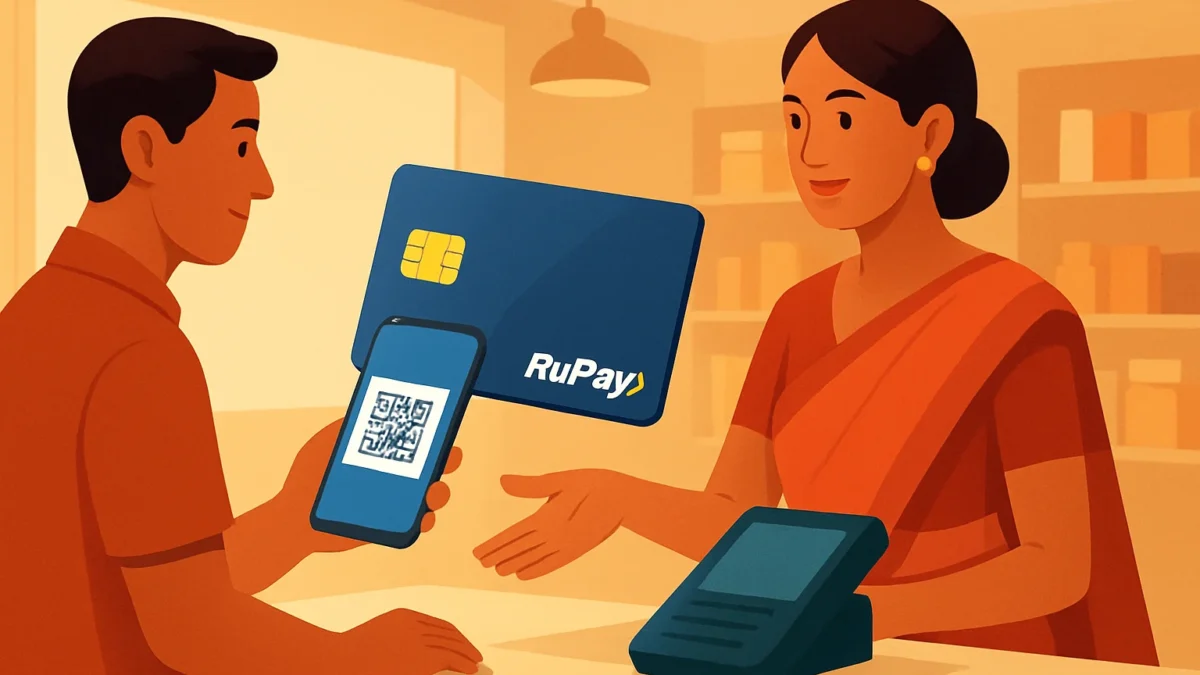
Yes — you can link an eligible RuPay credit card to UPI on major apps (PhonePe, Google Pay, BHIM, Paytm and many bank apps). Open the app’s Add Card / Link RuPay Credit Card flow, enter card details, verify with OTP and set a UPI PIN (last 6 + expiry for some apps). NPCI and most banks now support this. ([npci.org.in](https://www.npci.org.in/product/rupay/credit-card-on-upi?utm_source=openai))
Key takeaways
- RuPay credit cards can be linked to UPI apps for merchant payments — supported by NPCI and many banks.
- Each app uses a similar flow: Add Card → select RuPay credit card → verify with OTP → set UPI PIN.
- Charges, cashbacks and rewards depend on your card and app — check bank/app T&Cs before paying.
- Common errors are usually OTP, Aadhaar/linking-mobile mismatches or an unsupported card; the fixes are straightforward.
In this article
Who this is for and what you need
This guide is for Indian users who want to pay merchants using a RuPay credit card over UPI. You need: a RuPay credit card eligible for UPI, the same mobile number on your card and UPI app, Aadhaar linked to that mobile number if asked, and your card’s last 6 digits + expiry (and OTP). NPCI and most banks now allow RuPay credit cards on UPI apps. ([npci.org.in](https://www.npci.org.in/product/rupay/credit-card-on-upi?utm_source=openai))
Step-by-step
- Open your UPI app and go to Payments / Profile / Bank accounts. Most apps group card linking with bank accounts or payment methods. Look for labels like “Add RuPay Credit Card”, “Add Card” or “Link RuPay Credit Card”. ([mybankingtips.com](https://www.mybankingtips.com/blogs/how-to-add-credit-card-in-phonepe-799?utm_source=openai))
- Choose Add Card or Link RuPay Credit Card. On PhonePe, GPay, BHIM and Paytm the option is visible under Manage Payment Methods or Cards section. If you don’t see it, check the app’s hamburger menu → Payments / Wallet & cards. ([phonepe.com](https://www.phonepe.com/en/terms_debit-credit.html?utm_source=openai))
- Select your RuPay credit card from the list or enter card details. The app may show RuPay cards issued by banks linked to your mobile number. If the app can’t auto-detect, choose manual add and type the last 6 digits and expiry. Banks and apps sometimes require the last 6 digits + expiry to proceed. ([idfcfirst.bank.in](https://www.idfcfirst.bank.in/credit-card/rupay-credit-card?utm_source=openai))
- Verify ownership with OTP from the card-issuing bank. You’ll receive an SMS OTP on the mobile number registered with the card — enter it in the app to confirm. Some flows may ask for Aadhaar-based verification if the bank requires it. ([support.google.com](https://support.google.com/pay/india/answer/14962973?hl=en&utm_source=openai))
- Set or enter a UPI PIN for the card. Apps will ask you to set a UPI PIN specific to that card (sometimes the flow needs last 6 digits + expiry to generate OTP). This UPI PIN authorises future payments using the card on UPI. Keep it safe and do not share. ([support.google.com](https://support.google.com/pay/india/answer/14962973?hl=en&utm_source=openai))
- Confirm the card is listed under Payment Methods or Bank accounts. After successful setup the RuPay credit card appears alongside your bank accounts/cards and can be selected at merchant payments or Scan & Pay. Test with a small merchant payment. ([npci.org.in](https://www.npci.org.in/product/rupay/credit-card-on-upi?utm_source=openai))
App-specific quick menu paths
- PhonePe: Profile icon → My Money → Cards & Wallets → Add Card / Link RuPay Credit Card → follow prompts to verify and set UPI PIN. ([phonepe.com](https://www.phonepe.com/en/terms_debit-credit.html?utm_source=openai))
- Google Pay (GPay): Profile → Payment methods → Add payment method → Add RuPay credit card / Add card on UPI → verify OTP / Aadhaar as required → set UPI PIN. GPay help notes Aadhaar-mobile matching may be needed. ([support.google.com](https://support.google.com/pay/india/answer/14962973?hl=en&utm_source=openai))
- BHIM: Menu → Add / Manage Cards → Add RuPay Credit Card → enter last 6 digits & expiry → OTP → set UPI PIN. BHIM shows the card under linked payment methods. ([paytm.com](https://paytm.com/faqs/upi/how-to-add-a-credit-card-in-bhim-upi?utm_source=openai))
- Paytm: Profile → Payments / Bank Accounts & Cards → Add Card → Link RuPay Credit Card to UPI (follow the UPI-card onboarding). Paytm support documents an explicit RuPay card flow. ([paytm.com](https://paytm.com/support/upi/how-to-link-rupay-credit-card-with-paytm-upi?utm_source=openai))
- Banks & bank apps: Many bank apps show an option: Payments / RuPay Credit Card on UPI / Link card to UPI. Follow the bank’s guided flow; some banks require in-app OTP and ask you to confirm Aadhaar-linked mobile. Check your bank’s card page for steps. ([npci.org.in](https://www.npci.org.in/product/rupay/credit-card-on-upi?utm_source=openai))
Common problems and fixes
- No “Add RuPay Credit Card” option: Update the app to the latest version. If still missing, your card or bank may not yet be live for RuPay-on-UPI — contact the issuing bank. NPCI keeps a live list of banks/apps that support the feature. ([npci.org.in](https://www.npci.org.in/product/rupay/credit-card-on-upi?utm_source=openai))
- OTP not received: Ensure the mobile number on the card is active and the same as in the app. Wait a few minutes, check network/SMS blocking, and request OTP again. If still failing, call your bank’s card helpline. ([support.google.com](https://support.google.com/pay/india/answer/14962973?hl=en&utm_source=openai))
- Aadhaar or mobile mismatch: Some apps/banks use Aadhaar-based verification. Confirm your Aadhaar is linked to the same mobile number as the RuPay card, or ask your bank for alternative KYC options. ([support.google.com](https://support.google.com/pay/india/answer/14962973?hl=en&utm_source=openai))
- Card declined for UPI payments: Check with the issuing bank that the RuPay credit card is enabled for UPI payments and not blocked for merchant UPI. Also confirm you set the UPI PIN correctly and have available credit limit. ([npci.org.in](https://www.npci.org.in/product/rupay/credit-card-on-upi?utm_source=openai))
- Rewards / cashback not applied: Cashback and reward eligibility depends on bank and app offers. Read the bank’s or app’s T&Cs; some card issuers exclude certain UPI transactions or convert them into a different merchant category. Keep screen captures of the offer terms. ([sbicard.com](https://www.sbicard.com/sbi-card-en/assets/docs/pdf/tnc/offer-tnc-ponepe.pdf?utm_source=openai))
Tips
- Use a small ₹50–₹100 test payment first to confirm the card is working and you know which UPI PIN applies.
- Check whether the RuPay credit card transaction posts as ‘UPI — credit card’ in statements — important for reward categorisation.
- Keep the issuing bank’s card helpline number handy for OTP or blocking issues. If you change your card (renewal), you may need to relink. ([icici.bank.in](https://www.icici.bank.in/personal-banking/cards/credit-card/rupay-credit-card?utm_source=openai))
- Android vs iPhone: Android apps sometimes offer additional NFC Tap-to-Pay features; iPhone flows are similar but the app layout can differ — follow app-specific menus. ([androidcentral.com](https://www.androidcentral.com/apps-software/google-pay/this-is-the-best-google-pay-feature-youre-not-using-in-india?utm_source=openai))
Final checks before paying
Confirm the card shows under payment methods, UPI PIN works, and your available credit is adequate. For large purchases, check whether the merchant accepts credit-card-on-UPI and whether the bank places holds or authorisation steps that temporarily reduce available limit.
Linking a RuPay credit card to UPI is now supported across major UPI apps and many banks — useful if you want credit-card benefits while paying via UPI. If your RuPay card or bank isn’t listed, contact the issuer or use an alternative UPI payment until it becomes available.
Frequently asked questions
Can I link any RuPay credit card to UPI?
Not every RuPay card is automatically eligible. Card must be from an issuing bank that supports RuPay-on-UPI and be registered to the same mobile number in your UPI app. Check your bank’s card details or NPCI’s list if unsure. ([npci.org.in](https://www.npci.org.in/product/rupay/credit-card-on-upi?utm_source=openai))
Will linking a RuPay credit card to UPI cost anything?
Linking is generally free. Transaction fees, cashbacks and rewards depend on the card issuer and the app’s offers. Some banks may treat UPI-card payments differently for reward calculation — read the bank/app terms. ([moneycontrol.com](https://www.moneycontrol.com/news/business/personal-finance/how-to-use-your-credit-or-debit-card-to-make-upi-payments-in-india-12995735.html?utm_source=openai))
Do I use my card PIN to pay after linking?
No — UPI payments use a UPI PIN you set during the linking process. This is different from your card PIN. For large authorisations some banks may prompt additional checks. ([support.google.com](https://support.google.com/pay/india/answer/14962973?hl=en&utm_source=openai))
What if OTP for linking doesn’t arrive?
Ensure the mobile number on the RuPay card is active and matches the app. Check SMS blocking and network. If still not received, contact your card issuer’s helpline to confirm SMS delivery or to trigger a new OTP. ([support.google.com](https://support.google.com/pay/india/answer/14962973?hl=en&utm_source=openai))
If my card is linked, can others use it from my phone?
No — linking requires OTP to the card’s registered mobile and setting a UPI PIN. But anyone with access to your phone and UPI PIN could pay, so protect the device and PIN. Revoke the card in the app if the phone is lost.
Sources
- National Payments Corporation of India (NPCI) – Enabling digital payments in India
- How to Add Credit Card in PhonePe App: Step-by-Step Guide
- phonepe.com
- Apply for RuPay Credit Card – Seamless UPI Payments | IDFC FIRST Bank
- Add or remove a RuPay credit card on Google Pay – Google Pay Help
- How to add a credit card in BHIM UPI?
- UPI & Money Transfer Support Questions | Your Questions Answered