How to Stop Voice Phishing (vishing): A 9-step India Guide
Practical, India-focused 9-step guide to stop voice phishing. Real scam examples, exact verification scripts, and ready FIR/bank/police reporting templates.

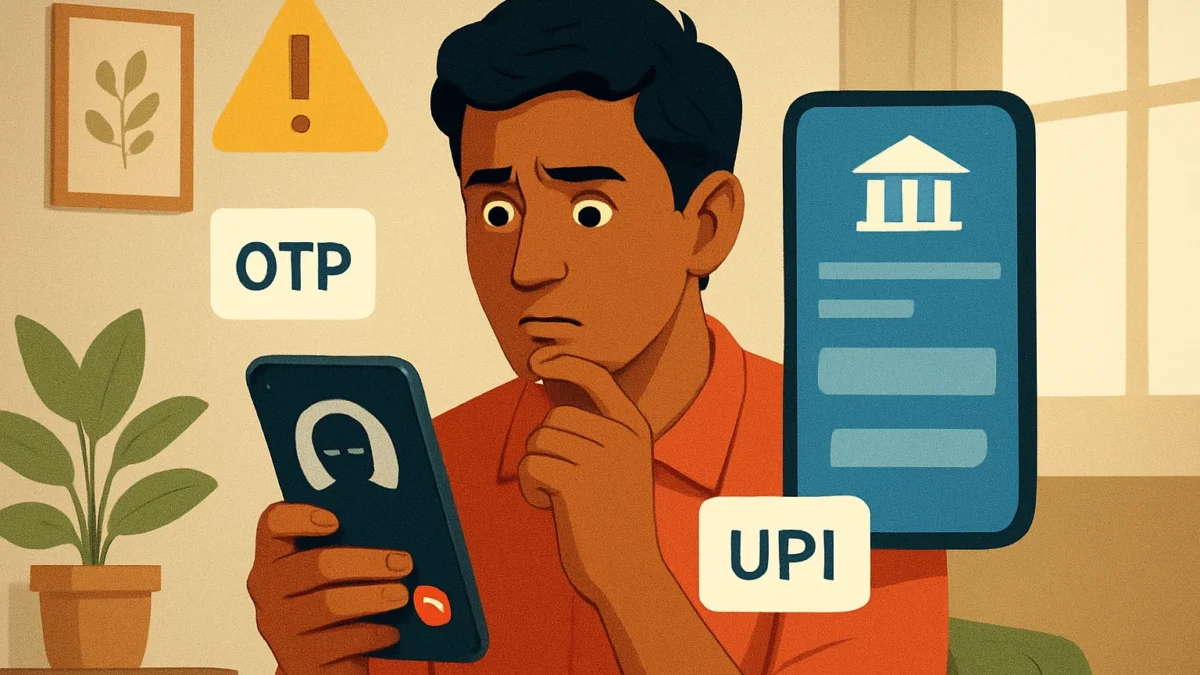
Voice phishing (vishing) is phone-based social engineering that tricks you into sharing OTPs, PINs or app access. Stop it by verifying callers, refusing requests for OTP/CVV/UPI-PIN, using official apps, and reporting incidents immediately to your bank and cybercrime police (call 1930 or use cybercrime.gov.in).
Key takeaways
- Banks, RBI, CERT-In never ask for OTP, PIN, CVV or UPI‑PIN over call.
- Use short verification scripts and call back on official numbers.
- Block and report vishing calls promptly to bank, telecom & police.
- Keep app permissions minimal and enable app lock/biometrics on UPI apps.
In this article
Who this is for and what you need
This guide is for anyone in India who uses phone banking, UPI, mobile wallets or credit/debit cards. You only need: your phone, your bank or wallet app, and access to your bank’s official number (from the bank website or app). Keep a screenshot or note of recent scam calls — you’ll need it when reporting.
Step-by-step
- Stay calm and don’t share anything. If a caller stresses urgency, hang up. Scammers rely on panic to bypass judgement.
- Listen for the trick: they’ll ask for OTP/UPI‑PIN/CVV. Banks and RBI instructions clearly state they will never ask for these over the phone. Refuse immediately if asked.
- Use a verification script. Say: “I don’t share OTPs. Please give me your employee ID and a number I can call back.” Then hang up and call back on the bank’s official number from the app or bank website.
- Call back—don’t use their number. Dial the customer-care number from your bank or wallet app. If the caller was genuine, the bank will already have a record and will not ask for OTP or PIN.
- Confirm details they already know. If the caller knew private details, ask: “How did you verify my KYC? Which branch and officer?” Genuine callers will give verifiable branch names or reference numbers; fraudsters often can’t.
- Turn off remote access and log out of apps. If you gave any access (screen-share, remote‑control app), uninstall that app immediately, change passwords, and logout from banking apps on all devices.
- Freeze card/disable UPI or change UPI‑PIN quickly. Use your bank app to block the card and disable UPI or change UPI‑PIN if you suspect compromise.
- Record evidence and report. Screenshot call log, record the number, note date/time and call audio if available. Report to your bank’s grievance/cyber team and to the national cybercrime portal (cybercrime.gov.in) or call 1930. Inform your local police to file an FIR.
- Follow up and demand recovery steps. Ask your bank for an investigation reference number and expected timeline. If bank rejects liability, escalate to the grievance officer and then the Banking Ombudsman as per RBI guidance.
Exact call verification scripts you can use
- Short script to refuse: “I don’t share OTPs, PINs or CVV. Please give me your employee ID and official number; I will call back.”
- Call‑back script: “I received a call from X number claiming to be your agent asking for an OTP. Please confirm if you called me and tell me the reference number for this call.”
- If the caller pressures: “I will call the bank now from my registered number and confirm. Please stay on hold.” Then hang up and call the official number.
Also read: How to spot fake shopping websites (India) — quick checks
Real scam examples (short)
- Caller pretends to be bank “fraud team” and asks for OTP to reverse a fake transaction. They enter OTP on a payment page and steal money.
- Impostor says “UPI/IMPS failed — we will refund; share UPI‑PIN on this link to authorise refund.” This is a trap; the link captures credentials.
- Someone claims to be RBI/TRAI/government and asks for KYC details to release subsidy. They misuse personal data for identity fraud.
What banks (and RBI) will and won’t do
RBI and banks clearly warn that they never call and ask for OTPs, CVV, passwords or UPI‑PINs. Banks will:
- Ask you to confirm transactions but never ask you to share OTP or PIN.
- Provide grievance and cyber contact channels; they can freeze accounts and block cards on request.
Banks will not ask you to authenticate a transaction by reading OTP/UPI‑PIN aloud on a call or by entering it on a link they provide. If they say they will, it’s a scam. (See RBI circulars and bank advisories.)
Reporting templates (quick versions you can copy)
Bank complaint text (copy to email/chat)
Subject: Urgent – Suspected Vishing Fraud on my account
I received a call on [date time] from number [caller number] claiming to be from [bank/wallet]. I may have shared [OTP/UPI‑PIN/other]. Please block my account/card/wallet immediately, investigate and provide reference number. My account/UPI ID: [xxx]. Contact: [your mobile].
Police/FIR note (summary for cybercrime portal or station)
On [date time] I received a phone call from [caller number] claiming to be [bank/government]. The caller asked for [OTP/UPI‑PIN/other]. After sharing/while refusing, I noticed unauthorised transactions of ₹[amount] on [account/UPI ID]. I request FIR and investigation. Attached: call log and screenshots.
Common problems and fixes
- Problem: Caller Spoofs bank number. Fix: Still call back using the number in your bank app or website — do not use the incoming-call number.
- Problem: Scammer knows personal details. Fix: That means your data may be leaked; change passwords, inform bank, and monitor credit/transactions.
- Problem: You clicked a link during the call. Fix: Disconnect from internet, uninstall the app if any, change passwords on another device, and inform bank immediately.
Android vs iPhone: what differs
- Android: More sideloaded apps exist. Don’t install screen‑share or remote apps from unknown sources. Use Play Protect, limit app permissions, and enable Google Play system updates.
- iPhone: App store vetting reduces some risks, but phishing links and call scams still work. Use Face/Touch ID for banking apps and keep iOS updated.
Tips to reduce risk
- Enable app lock or biometric lock for banking and UPI apps.
- Use the bank app for all changes — don’t rely on SMS/call instructions.
- Register for DND and call‑block lists; use your carrier’s spam protection.
- Keep a low balance in cards/wallets you don’t use often; enable transaction limits and alerts.
If you’re unsure about a call, treat it like a potential vishing attempt: do not share secrets, call back on the bank’s official number, and report suspicious activity right away.
If you use mobile banking or UPI, follow the 9 steps above: don’t share OTPs/UPI‑PIN, use the verification scripts, and report immediately. If you’ve been defrauded, contact your bank and file a complaint on the national cybercrime portal (or at your local police station) without delay.
Frequently asked questions
What exactly is voice phishing (vishing)?
Vishing is a phone-based scam where attackers impersonate banks, government agencies or companies to trick you into giving OTPs, PINs, CVV or remote access. The goal is to authorise transactions or steal credentials.
Will my bank ever ask for OTP or UPI‑PIN on a call?
No. RBI and banks state clearly that they will never ask for OTP, UPI‑PIN, CVV, full password or PIN over the phone. Any such request is a scam.
How do I report a vishing call in India?
Report to your bank’s cyber/fraud team first. Then file a complaint at the national cybercrime portal (cybercrime.gov.in) or call the cybercrime helpline 1930. Also inform your local police to register an FIR if money was lost.
Can I get my money back after a vishing scam?
Recovery depends on the case. If you shared OTP/UPI‑PIN the bank may treat it as customer‑authorised. Still report immediately and escalate to the bank grievance officer and Banking Ombudsman. Faster reporting improves chances of recovery.
Should I install call‑blocking apps?
Yes—use official call‑blocking or carrier spam filters and keep DND enabled. But remember filters aren’t perfect; always verify suspicious calls yourself.