Generate GIFs with ChatGPT: 9 Tips and Best Prompts
Make shareable GIFs with ChatGPT: quick prompts, export/size settings, optimisation tips and simple rights advice so you can produce GIFs fast.

ChatGPT (Images 2.6 / GPT Image 2.6) can generate animated GIFs from text or uploaded images. Use short frame counts (8–16), set frame duration (20–2000 ms), export at appropriate pixel size and optimise colour palette to keep file size small for sharing on WhatsApp and social apps.
Key takeaways
- ChatGPT’s Images 2.6 supports native GIF output (text or image seed).
- Keep frames to 8–16 and frame duration 50–200 ms for smooth, shareable GIFs.
- Export size, palette and looping behaviour determine file size—optimise each for WhatsApp/Instagram.
- Use clear prompts with frame_count and frame_duration_ms when using the API.
- Respect copyrights: avoid generating people’s likenesses or copyrighted logos without permission.
In this article
- 1. What is ChatGPT GIF generation?
- 2. Use short, explicit prompts for frame control
- 3. Seed with a photo to make personalised GIFs
- 4. Export size & pixel tips for Indian social apps
- 5. Balance frames, palette and looping to control file size
- 6. Ready-to-use prompt templates
- 7. API users: exact parameters to use
- 8. GIF optimisation checklist
- 9. Simple rights and attribution rules
- How we picked
- Frequently asked questions
- Sources
1. What is ChatGPT GIF generation?
ChatGPT’s Images 2.6 (also called GPT Image 2.6 in the API) can produce animated GIFs directly from text prompts or from an uploaded photo/sketch. You can control frame count, duration and ask for edits after generation. This feature is available in ChatGPT and the Images API, and includes options like SVG output and photo markup for edits. ([deploymentsafety.openai.com](https://deploymentsafety.openai.com/chatgpt-images-2-6/model-safety?utm_source=openai))
Best for
Quick reaction GIFs, short product animations, head-turn simple loops and converting single photos into short loops.
Pros / Cons
- Pros: Fast, built into ChatGPT, works from photos and text prompts.
- Cons: Frame and size limits affect detail; complex scenes may need multiple tries.
How to start
- Open ChatGPT (mobile or web) and choose the Image generation option or upload a photo.
- Ask: “Turn this into a 6-frame GIF, loop forever, 120 ms per frame.”
- Request edits (speed, smoother transition) after the first result. ([help.openai.com](https://help.openai.com/en/articles/11084440-images-in-chatgpt?utm_source=openai))
2. Use short, explicit prompts for frame control
Tell ChatGPT exactly how many frames and how long each frame should be. In the API these map to frame_count and frame_duration_ms; in chat keep the instruction plain language but specific. Example: “Generate a 10-frame looping GIF of a smiling mascot turning left, 100 ms per frame, 600×600 px.” ([developers.openai.com](https://developers.openai.com/api/docs/guides/image-generation?utm_source=openai))
Best for
Predictable timing and rhythm—reaction GIFs, logos, icons.
Pros / Cons
- Pros: Reliable loop lengths and predictable file size.
- Cons: Fewer frames means choppier motion; too many frames raises file size quickly.
How to start
Prompt: “Create a 12-frame GIF of a red balloon slowly floating up, 100 ms per frame, loop forever, output as downloadable GIF at 512×512 px.”
Also read: 7-step guide to Google Gemini Memory: view, edit, delete
3. Seed with a photo to make personalised GIFs
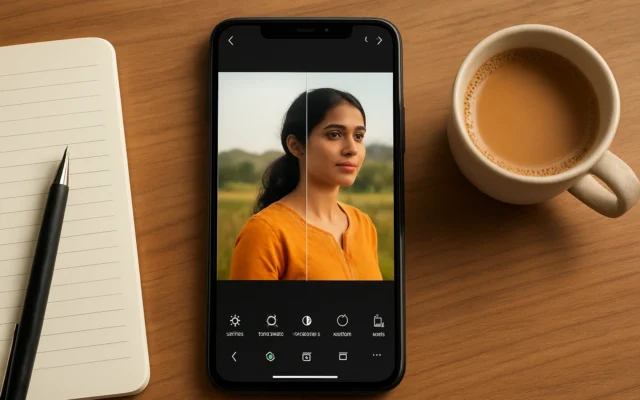
Upload a single photo and ask ChatGPT to animate it (blink, bob, spin). This is handy for turning a product shot or a portrait into a simple loop. The editor allows frame edits and speed adjustments after generation. ([help.openai.com](https://help.openai.com/en/articles/11084440-images-in-chatgpt?utm_source=openai))
Best for
Personal reaction GIFs, product demos, simple cinemagraph-like loops.
Pros / Cons
- Pros: Keeps original look; quick to make.
- Cons: Faces and trademarks have policy limits; quality depends on source image resolution.
How to start
Upload image and say: “Make a 7-frame GIF where only the eyes blink and background stays fixed, 150 ms per frame. Keep colours unchanged and optimise for WhatsApp.”
4. Export size & pixel tips for Indian social apps
Common targets: WhatsApp prefers ~480–600 px wide for quick sharing; Instagram Stories vertical 1080×1920 px is large and will increase file size; X/Twitter and Telegram handle square 512–800 px well. Smaller dimensions and fewer colours reduce file size. Test on your phone to confirm visual quality. ([blog.laozhang.ai](https://blog.laozhang.ai/en/posts/how-to-make-a-gif-in-chatgpt?utm_source=openai))
Best for
People who need GIFs that upload fast on mobile data in India.
Pros / Cons
- Pros: Faster uploads, less mobile-data use.
- Cons: Lower resolution reduces fine detail.
How to start
Ask: “Export a 600×600 px GIF optimised for WhatsApp; reduce palette to 128 colours if file size > 1 MB.”
5. Balance frames, palette and looping to control file size
File size = frames × pixels × colours. Lower frames, smaller pixels, fewer colours (palette) and non‑lossless loop trimming keep sizes small. If a GIF is still big, export as an MP4 for platforms that accept video (often smaller for the same duration). ([blog.laozhang.ai](https://blog.laozhang.ai/en/posts/how-to-make-a-gif-in-chatgpt?utm_source=openai))
Best for
Creators who must keep GIFs under 1–2 MB for fast sharing.
Pros / Cons
- Pros: Predictable size control.
- Cons: Reducing colours or frames may harm look.
How to start
Prompt: “Make an 8-frame GIF, 400×400 px, 128-colour palette, 125 ms per frame, loop forever. If output > 1MB, give a 720p MP4 alternative.”
6. Ready-to-use prompt templates
Copy and paste these; tweak object, colours or size.
- “Create a 10-frame looping GIF of a mango dropping into a bowl, 100 ms per frame, 600×600 px, bright colours, downloadable GIF.”
- “I uploaded a photo. Animate only the background clouds across 9 frames, 150 ms per frame, keep subject sharp.”
- “Generate a 6-frame boomerang GIF of a bicycle wheel spinning, 80 ms per frame, 512×512 px, loop back-and-forth.”
7. API users: exact parameters to use
When using the Images API set output_format: “gif”, frame_count (2–64 commonly limited to 16 on some endpoints), and frame_duration_ms (20–2000). Keep defaults only if you don’t care about timing. Validate file size after generation and request smaller dimensions if needed. ([developers.openai.com](https://developers.openai.com/api/docs/guides/image-generation?utm_source=openai))
Best for
Developers building chatbots, sticker packs or app features that export GIFs programmatically.
Pros / Cons
- Pros: Precise, repeatable results; easy to automate.
- Cons: Some API endpoints cap frames; check limits before batch jobs.
How to start
Example fields: {“output_format”:”gif”,”frame_count”:12,”frame_duration_ms”:100,”size”:”512×512″} then fetch and test result on mobile devices.
8. GIF optimisation checklist
- Limit frames to 8–16 for balance between smoothness and size.
- Use 50–200 ms per frame for natural motion; shorter for snappy reactions.
- Choose 400–800 px for mobile sharing, 1080 px only for story-sized exports.
- Reduce palette to 64–128 colours for major size wins.
- Offer an MP4 fallback for larger, high-quality animations.
9. Simple rights and attribution rules
Do not generate GIFs that copy copyrighted logos, brand mascots or a real person’s face without permission. For images you upload, only animate what you own or have a licence to use. If you post on public platforms, add a short note like: “Created with ChatGPT Images” and credit any original photographer. OpenAI policies also restrict harmful content—report if needed. ([help.openai.com](https://help.openai.com/en/articles/11084440-images-in-chatgpt?utm_source=openai))
Best for
Any creator who shares GIFs publicly and wants to avoid takedowns.
Pros / Cons
- Pros: Safer publishing, fewer legal headaches.
- Cons: You may need permissions for some uses; attribution doesn’t replace licence requirements.
How to start
Before publishing, confirm you own the source image or have permission. Add: “Animated with ChatGPT Images” in the post caption.
How we picked
We focused on features that help typical Indian smartphone users create shareable GIFs quickly: native GIF output, easy prompts, export size guidance and data-conscious optimisation. Recommendations are based on OpenAI’s Images 2.6 docs and testing reports from technology outlets and developer guides. We prioritised steps that minimise mobile data use and avoid policy pitfalls. ([deploymentsafety.openai.com](https://deploymentsafety.openai.com/chatgpt-images-2-6/model-safety?utm_source=openai))
| Tip | Best for | Quick trade-off |
|---|---|---|
| 1. Native GIFs in ChatGPT | Fast single-file GIFs | Easy but limited detail |
| 2. Explicit frames & timing | Predictable motion | Size vs smoothness |
| 3. Photo seed GIFs | Personalised loops | Policy limits on faces/logos |
| 4. Export size tips | Mobile sharing in India | Smaller = less detail |
| 5. Palette & frames | File-size control | Colours vs fidelity |
| 6. Prompts ready-to-use | Beginners | Copy-paste then tweak |
| 7. API params | Developers | Precise but technical |
| 8. Optimisation checklist | All creators | Small steps, big gains |
| 9. Rights & attribution | Public posting | Necessary but sometimes restrictive |
If you want quick, shareable reaction GIFs or simple product animations, try ChatGPT’s Images 2.6 GIF feature—start with 8–12 frames at 400–600 px. Skip it for high-detail, professional animation; use a video export or traditional animation tools instead.
Frequently asked questions
Can I create GIFs from my phone photo using ChatGPT?
Yes. Upload your photo in ChatGPT’s image tool and ask it to animate specific parts (blink, loop background, etc.). You can then edit speed and frames before downloading the GIF. ([help.openai.com](https://help.openai.com/en/articles/11084440-images-in-chatgpt?utm_source=openai))
What frame count and ms give smooth GIFs for WhatsApp?
Aim for 8–16 frames and 50–200 ms per frame. That balances smooth motion with manageable file size on mobile data. Test at 400–600 px for fast uploads. ([blog.laozhang.ai](https://blog.laozhang.ai/en/posts/how-to-make-a-gif-in-chatgpt?utm_source=openai))
Why is my ChatGPT GIF file too large?
Large files usually come from many frames, big pixel dimensions or many colours. Reduce frames, lower pixels (e.g., 512×512) or cut palette to 64–128 colours. Exporting an MP4 often yields a much smaller file for the same duration. ([blog.laozhang.ai](https://blog.laozhang.ai/en/posts/how-to-make-a-gif-in-chatgpt?utm_source=openai))
Are there legal limits to animating images with ChatGPT?
Yes. Don’t animate copyrighted logos, brand mascots or real people’s faces without permission. Follow platform rules and add simple attribution like “Animated with ChatGPT Images” when you post. ([help.openai.com](https://help.openai.com/en/articles/11084440-images-in-chatgpt?utm_source=openai))
Can developers request GIF output from the OpenAI Images API?
Yes. The Images API supports output_format: "gif" plus parameters like frame_count and frame_duration_ms. Check the API docs for current frame caps and rate limits before large batches. ([developers.openai.com](https://developers.openai.com/api/docs/guides/image-generation?utm_source=openai))