WhatsApp Contacts Tab: What’s changing in Android beta
Clear explainer of WhatsApp's new Contacts tab in Android beta. Learn what moves, how it works, how to try the beta and practical tips for Indian users.

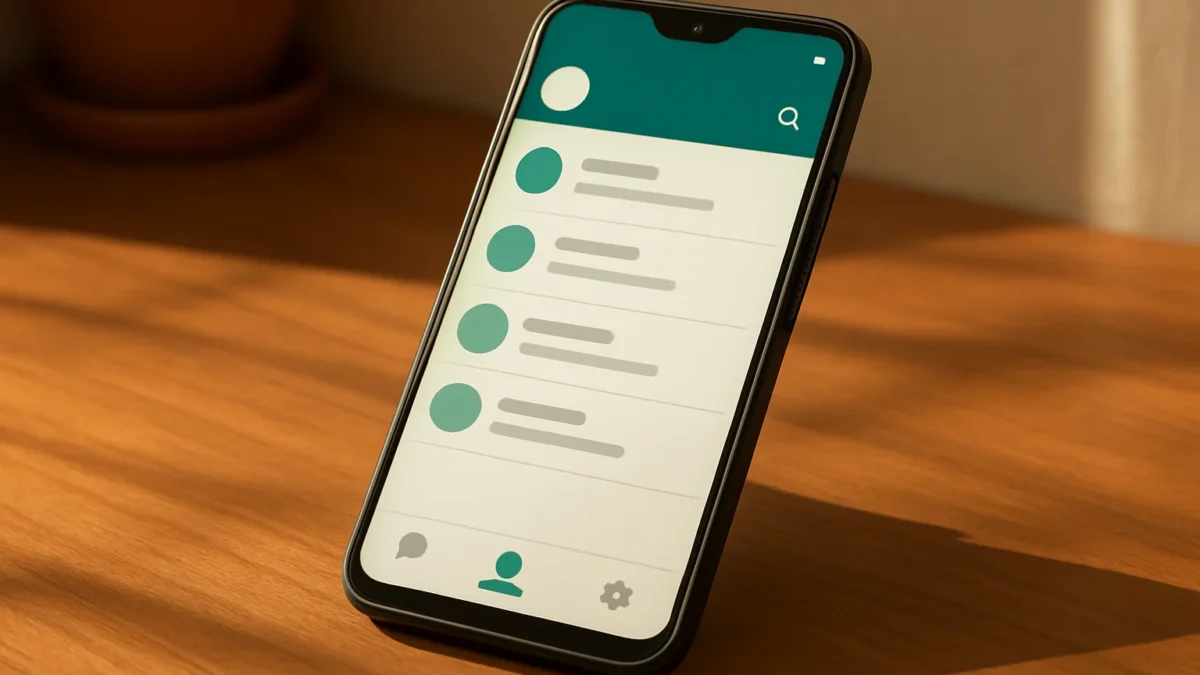
WhatsApp’s Android beta adds a dedicated Contacts tab in the bottom navigation that shows your full contact list, who’s online, birthdays and filters (Communities becomes a filter). You can try it by joining the Play Store beta or using a trusted beta APK, but it’s experimental — expect bugs and limited rollout.
Key takeaways
- New Contacts tab gives a single place for your full WhatsApp contact list and online status.
- Communities moves into a filter, and shortcuts like New chat still exist.
- Join the Google Play beta or wait for the public release; APKs risk instability.
- Useful for people who check contacts often; avoid on primary phones if you need full stability.
In this article
What is the new Contacts tab?
The Contacts tab is a dedicated section in WhatsApp for Android beta that sits in the bottom navigation bar. It shows your full WhatsApp contact list separate from Chats, plus quick indicators such as who is online and birthday reminders reported in beta builds. This is a UI reorganisation — not a new account system or separate app.
How does it work?
Here are the main changes and how they behave in the beta:
- Contacts in one place: Instead of opening the New Chat view to see contacts, you get a full tab with all saved WhatsApp contacts.
- Online indicators: Contacts who are currently online appear at the top or with a visible status in the list (subject to privacy settings).
- Birthday reminders: The tab can surface birthdays found in contacts (if present) — a convenience feature.
- Communities moves: The previous Communities entry is reported to be moved into a filter rather than a full tab, so it won’t occupy bottom navigation space.
- Search and actions: Search, start new chat, and contact actions still exist, but they live inside the Contacts tab instead of the floating New Chat sheet.
Why this matters for privacy and settings
Online visibility still follows WhatsApp privacy options. If you have Last Seen/Online restricted in Settings → Privacy, other users won’t see your online state even if the Contacts tab highlights online contacts. The Contacts tab only changes where you view contacts, not what WhatsApp shares.
Also read: How to use WhatsApp Meta AI photo expansion on iPhone · WhatsApp AI Photo Expansion vs Adobe Generative Fill — which is better for you?
Why is this trending now?
News sites and feature trackers spotted the Contacts tab in recent Android beta builds (reported builds include 2.26.40.x and 2.26.45.x). A dedicated tab is a visible UI change, so it quickly appears in screenshots and beta logs. The change also shifts Communities out of the main bar, which affects many users’ workflows — that caught attention.
How can you try the Contacts tab? Step-by-step
- Join the Google Play beta (recommended):
- Open Play Store → search WhatsApp.
- Scroll to find “Join the beta” on the app page. Tap Join and wait up to 24 hours for the beta update to arrive.
- Update the app: Once enrolled, update WhatsApp from Play Store. The Contacts tab appears only in certain beta builds, so you may need the exact build that includes it (beta updates roll out in phases).
- Use a trusted beta APK (less safe): Some sites host beta APKs that include the tab. This can give faster access but risks installing unofficial or modified files. Only use reputable trackers and verify checksums if you go this route. For most Indian users, Play Store beta is safer.
- To leave the beta: Open the WhatsApp Play Store page and choose Leave under the beta section. Then update to the stable build when available.
Practical examples for Indian users
- If you often want to see who’s online before calling relatives, the Contacts tab makes that one-tap.
- Small businesses using personal WhatsApp can use the tab to quickly find customers’ numbers and birthdays for personalised messages — but be mindful of spam rules and consent.
- Users with many groups will notice Communities moved into a filter; you’ll access community chats from inside Chats with a filter rather than a permanent tab.
Limits and risks
- Beta instability: The feature is experimental. Expect occasional crashes, missing translations, or behaviour changes across updates.
- Phased rollout: Not everyone in the beta sees the tab immediately — serverside flags can delay availability.
- Privacy reminder: Online/birthday indicators depend on contact permissions and your privacy settings.
- APK risks: Installing APKs from untrusted sources can harm your phone or account. Prefer Play Store beta for safety.
Who should care?
Try the Contacts tab if you frequently check contacts or use WhatsApp for quick voice/video calls and want a cleaner way to view who’s available. Skip it on your main phone if you need a fully stable app for work or important communications. Indian users who run business chats may find it useful but should avoid relying on beta features for critical workflows.
Quick comparison: current vs Contacts tab (beta)
| Current stable WhatsApp | Contacts tab (Android beta) | |
|---|---|---|
| Where contacts are shown | New Chat sheet or search inside Chats | Dedicated bottom navigation tab |
| Online at-a-glance | Not centralised; visible inside chats | Yes — highlights online contacts |
| Communities | Separate tab | Moved to a filter |
| Stability | Stable public release | Experimental; may have bugs |
Final notes
This is a user-interface update focused on discovery and contact management. It does not change core account features like encryption, usernames or phone-number linking. If you value a tidier contact view and don’t mind beta bugs, join the Play beta. Otherwise wait for the public release.
If you check contacts often or want quicker access to who’s online, try the Play Store beta on a secondary phone. If you use WhatsApp for critical work on your main device, wait for the stable rollout to avoid bugs or missing features.
Frequently asked questions
How do I join the WhatsApp beta on Android?
Open WhatsApp on the Google Play Store page, scroll to the “Join the beta” section and tap Join. Wait up to 24 hours for the beta update to appear. If you don’t see the option, the developer may not offer a public beta in your region.
Will the Contacts tab show private info I didn’t share?
No. The Contacts tab only lists WhatsApp accounts linked to phone numbers saved on your device. Online or last-seen visibility remains controlled by your Privacy settings in WhatsApp; it doesn’t expose data you’ve blocked or hidden.
Can I use the Contacts tab on WhatsApp Web or iPhone?
Currently the Contacts tab is reported only on the Android beta. WhatsApp often tests features separately on platforms, so equivalents may appear later on iOS or Web, but there’s no confirmed release date.
Is it safe to install beta APKs to get the Contacts tab early?
Installing APKs from unofficial sites is riskier than using Play Store beta. APKs may be modified or unsafe. If you must use an APK, pick a trusted source and verify the file, but prefer Play Store beta for security.
What happens to my chats if I leave the beta?
Leaving the beta returns you to the public stable version. Your chat data remains on your phone and in backups, but always keep a recent Google Drive or local backup before switching versions to avoid rare issues.