7 Best USB‑C Wall Chargers With Built‑In Display — charger with display
Practical India guide to USB‑C wall chargers with built‑in display. Compare GaN and budget picks, per‑port watt readouts, and best options for phones, laptops and families.

Some links on this page are affiliate links. If you buy through them, ViralDuniya may earn a small commission at no extra cost to you. As an Amazon Associate we earn from qualifying purchases.
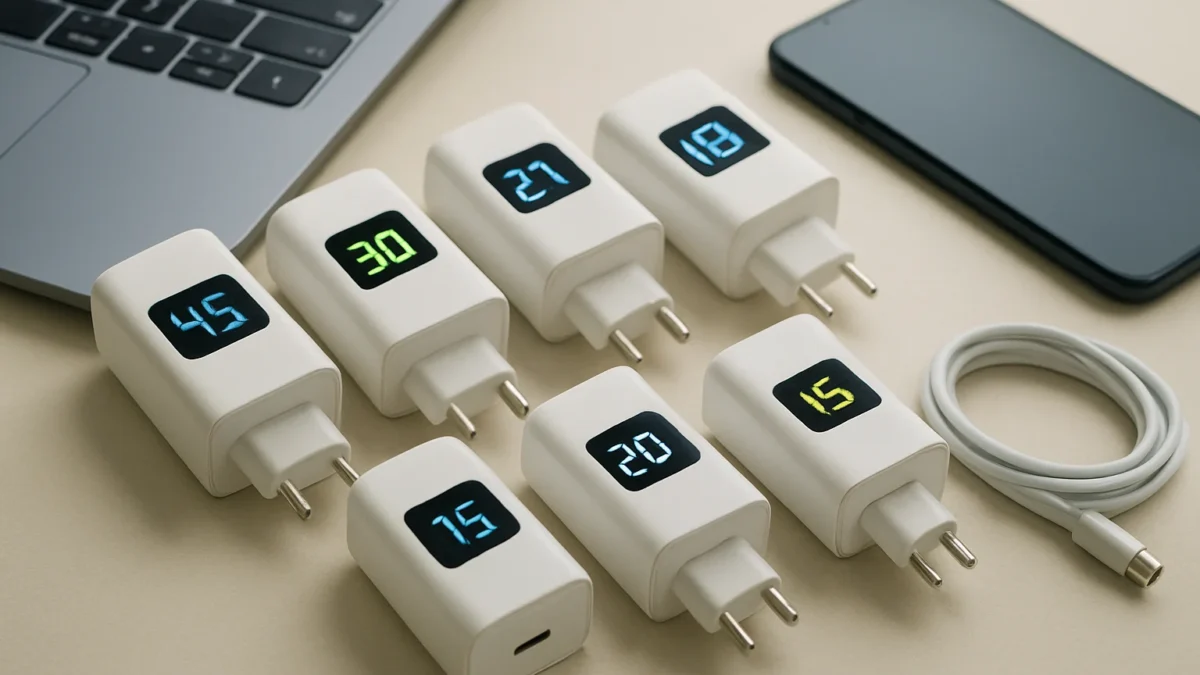
A charger with display shows real-time per‑port wattage, temps and status so you know what your phone or laptop is actually getting. For India, look at GaN multi‑port chargers (Stuffcool Nomad Pro, Ambrane Charge D100, UGREEN Nexode Pro) for laptops and multi‑device homes, and compact display chargers (Sharge Retro, TOPADRE) for travellers.
Key takeaways
- Built‑in displays give real output (W) and temperature info — useful to verify fast charging.
- GaN chargers with a display offer better power density and cooler running for laptops.
- Pick a 65–140W GaN charger for laptops; 30–45W compact displays suit phones.
- Look for PD3.0/PD3.1 support, accurate per‑port readout, and Indian plug or local warranty.
- Avoid tiny chargers that claim high W but share output across ports without clear monitoring.
In this article
- Quick picks
- Stuffcool Nomad Pro 140W — who is it for?
- Ambrane Charge D100 100W — who is it for?
- UGREEN Nexode / Uno RobotGaN (65–100W) — who is it for?
- Baseus Picogo 100W — who is it for?
- Verbatim Mini GaN 100W with display — who is it for?
- Sharge Retro 35W — who is it for?
- TOPADRE 65W LED display GaN — who is it for?
- How to choose a charger with display
- Mistakes to avoid
- Wrap up
- Check latest prices
- Frequently asked questions
- Sources
Quick picks
| Model | Best for | Why pick it |
|---|---|---|
| Stuffcool Nomad Pro 140W | Power users with laptops | High total output, PD3.1 and a clear numeric display |
| Ambrane Charge D100 (100W) | All‑round family charger | 3 ports, numeric real‑time watt readout |
| UGREEN Nexode / Uno RobotGaN (65–100W) | Families who want safety + personality | LED/graphic display, compact GaN design |
| Baseus Picogo 100W | Laptop + phone combination | Touch control smart display, multiple ports |
| Verbatim Mini GaN 100W with display | Compact multi‑device charging | Trusted accessories brand, numeric display |
| Sharge Retro 35W | Phone users who want style | Small single/dual port GaN charger with tiny screen |
| TOPADRE 65W LED display GaN | Budget travellers | Clear watt display, foldable plug |
Stuffcool Nomad Pro 140W — who is it for?
For power users with one or two USB‑C laptops and several phones. The Nomad Pro targets people who need high sustained power and want a live numeric display to confirm per‑port output and combined load.
Key specs
- GaN design, PD3.1 support, total up to 140W (model spec varies).
- Multiple USB‑C ports; numeric display showing real‑time wattage and port split.
- Indian retail availability and reviews in Indian tech press.
Pros
- Very high total power for charging laptops and phones together.
- Numeric display helps confirm real output and thermal behaviour.
- GaN means compact size and lower heat compared with older silicon chargers.
Cons
- Bulkier and pricier than small 30–45W phone chargers.
- Usefulness depends on display accuracy; check reviews for real‑world readings.
Also read: 7 Best power banks with built-in USB‑C cable — tested picks · 7 Best fast charger android picks for India — practical matchups
Ambrane Charge D100 100W — who is it for?
Best for households that want a reliable, mid‑price 3‑port GaN charger with a proper numeric display to monitor per‑port wattage.
Key specs
- 100W total, two USB‑C plus one USB‑A in common variants; digital display showing real‑time power.
- Protections: OVP, OCP, SCP (manufacturer claimed).
Pros
- Good balance of price, power and monitoring for phones and light laptops.
- Sold in India with local after‑sales presence.
Cons
- 100W total may be split between ports — display helps, but peak laptop charging may need single‑port use.
- Not the smallest option for travel.
UGREEN Nexode / Uno RobotGaN (65–100W) — who is it for?
Good for families and users who want a compact GaN charger with an expressive LED/graphic face or numeric readout and reliable brand support in India.
Key specs
- Variants at 65W and 100W, multiple ports, LED/graphic display that indicates charging state or wattage depending on model.
- Official India store and warranty options.
Pros
- Compact GaN design and clear status indicators.
- UGREEN has wide accessory and cable compatibility in India.
Cons
- Some LED faces show expressive icons rather than exact numeric watts — check which model you buy.
Baseus Picogo 100W — who is it for?
Best for users who want a modern multi‑port GaN charger with a touch‑control smart display and PD3.x support for laptops and phones.
Key specs
- Around 100W total, smart display and touch control on some variants.
- Multiple USB‑C ports supporting power negotiation for laptops and phones.
Pros
- Good feature set and compact GaN build.
- Touch/display gives a modern feel and lets you verify outputs.
Cons
- Touch controls add complexity and may not be needed by everyone.
Verbatim Mini GaN 100W with display — who is it for?
For buyers who prefer a recognised accessories brand and want a compact 3‑port GaN charger with a clear numeric display.
Key specs
- Up to 100W, PD support, numeric real‑time power display.
- Standard safety protections.
Pros
- Compact form and trustworthy brand history in accessories.
- Numeric display helps show true per‑port or combined output.
Cons
- Higher watt models can be pricier than unbranded alternatives.
Sharge Retro 35W — who is it for?
Phone users and travellers who want a small, low‑profile GaN charger with a retro look and a small display that shows wattage or charging state.
Key specs
- Single or dual port 35W GaN, small LED screen showing output / charging icons.
Pros
- Stylish, compact and ideal as a daily phone charger.
- Useful for verifying if your phone is actually drawing fast charge (e.g., 20–30W).
Cons
- Not suitable for high‑power laptops.
TOPADRE 65W LED display GaN — who is it for?
Budget‑minded travellers who want a foldable plug, a clear numeric watt display and enough power for light laptops or fast phone charging.
Key specs
- 65W GaN, foldable plug, numeric LED display showing instant wattage.
Pros
- Affordable, travel friendly and gives a real‑time watt readout.
Cons
- Lower overall power than 100–140W options; check compatibility with thicker laptops.
How to choose a charger with display
- What do you need to charge? Pick 30–45W for phones, 65W for ultrabooks, 100W+ for larger laptops (and check PD3.1 if you want full laptop speed).
- Prefer GaN for smaller size and better thermal performance.
- Check whether the display is numeric (per‑port watts) or symbolic (LED icons). Numeric displays are best to verify real output.
- Look for PD3.0/PD3.1 and PPS support if you use Samsung/Pixel fast charge or PD laptops.
- Confirm Indian plug or buy a local adaptor; prefer products sold with India warranty.
- Read reviewer tests that verify display accuracy — some displays show estimated rather than measured wattage.
Mistakes to avoid
- Assuming display = accuracy. Some cheap displays are estimated values. Check third‑party tests where possible.
- Buying on watt claims alone. A 100W charger that shares power badly may give only 30–40W per port under multi‑device load.
- Neglecting cables. A PD cable rated for 100W/140W is essential to reach advertised laptop speeds.
- Ignoring safety certifications and local warranty — India availability matters for easy replacements and support.
Wrap up
A charger with display is a small but practical upgrade: it turns guesswork into numbers so you can confirm fast charge, spot throttling or heat issues, and manage multi‑device loads. For laptop users choose 100–140W GaN models; for phone users a 30–45W compact display charger is often enough.
Check latest prices
Prices and offers change often. Check the current price and seller rating before you buy.
Stuffcool Nomad Pro 140W GaN Charger (with display)
High‑power laptop users who want numeric real‑time output
Ambrane Charge D100 100W GaN Charger (with digital display)
Families who want a reliable 3‑port display charger
approx ₹3,000–₹6,000
UGREEN Uno RobotGaN / Nexode series (65–100W, LED display variants)
Users who want compact GaN chargers with LED/graphic display
approx ₹2,000–₹7,000
Baseus Picogo 100W GaN Charger (smart display)
Laptop + phone users who want touch control and a smart display
Verbatim Mini GaN 100W Charger (with display)
Buyers who prefer an established accessories brand with display
Sharge Retro 35W GaN Charger (retro look, LED display)
Phone users who want a small stylish charger with a readout
approx ₹1,000–₹2,500
If you charge a laptop plus phones at home, buy a 100W+ GaN charger with a numeric display (Stuffcool Nomad Pro or Ambrane Charge D100). If you mainly charge phones and travel, pick a compact 30–65W display GaN (Sharge Retro or TOPADRE). Always pair with a rated USB‑C cable and check local warranty.
Frequently asked questions
Does a charger display show the real wattage?
Many chargers with displays show real‑time wattage measured at the output, but accuracy varies. Prefer models with numeric per‑port readouts and look for independent reviews that verify the display against a power meter.
Do I need a GaN charger if I want a display?
No — displays exist in both silicon and GaN chargers. But GaN allows smaller size and usually cooler operation, which is helpful when you want accurate live readings and sustained laptop charging.
Will the display shorten battery life by showing power?
No. The display is only a monitoring feature and does not change charging behaviour. Battery health depends on charging protocols (PD, PPS) and heat management, not the presence of a display.
Can I trust the watt split when two devices are connected?
A good display will show per‑port watts and the combined load. Still, manufacturers may limit per‑port power under multi‑port use — check the charger’s spec sheet and real‑world reviews.
Which cable do I need to use 100W or 140W charging?
Use a USB‑C cable rated for the target power (e.g., 100W PD cables or 140W USB‑C cables for PD3.1). Cheap cables can limit speed or heat up under load.