Which charger and cable for iPhone 18 Pro fast charging?
Clear India guide on the iPhone 18 Pro charger and cable you need for fastest safe charging — wired, MagSafe and GaN options, what to buy and what to avoid.

Some links on this page are affiliate links. If you buy through them, ViralDuniya may earn a small commission at no extra cost to you. As an Amazon Associate we earn from qualifying purchases.
For the fastest safe wired charging use a USB‑C PD 3.1 / AVS capable charger plus a 60W (or higher) USB‑C cable — a 65W GaN USB‑C PD charger with USB‑C PD/AVS support and a quality 60W+ cable will give top speeds. For wireless, use Apple MagSafe plus a 35W+ adapter for best MagSafe results.
Key takeaways
- Wired: use a USB‑C PD 3.1 (AVS) adapter and a 60W+ USB‑C cable for top speed.
- GaN 65W chargers are compact, cheap in India and reach the phone’s peak safely.
- MagSafe wireless needs a MagSafe charger + ≥35W adapter and is slower than wired.
- Avoid old 5V/1–2A phone chargers and cheap unbranded cables — they limit speed and can heat the phone.
- If you travel: choose a multiport 65–100W GaN charger to charge iPhone and laptop.
In this article
What is “fast charging” on the iPhone 18 Pro?
Fast charging means the phone accepts higher voltage and current from the wall so battery percent rises much faster than with a small 5–20W charger. Apple says iPhone 18 Pro reaches around 50% in roughly 15 minutes when paired with compatible high‑power chargers and cables. Apple’s support pages and product pages describe wired fast charging using USB‑C Power Delivery (PD) and a newer Adjustable Voltage Supply (AVS) profile for the fastest results. ([support.apple.com](https://support.apple.com/en-in/102574?utm_source=openai))
How does it work? (simple)
Two parts matter: the charger (power adapter) and the cable. The iPhone 18 Pro negotiates a higher voltage/current profile (PD 3.1 / Apple AVS) with the adapter. If both adapter and cable support the required profile, the phone will accept up to its peak charging power for short bursts and then taper to protect the battery. Tests from independent labs show some chargers can hit ~40–52W peaks on the 18 Pro when the phone requests AVS/PDP profiles. ([chargerlab.com](https://www.chargerlab.com/charging-review-of-iphone-18-pro/?utm_source=openai))
Also read: 9 Things to Know About the vivo x500 series Launch in India
Why is this trending now?
Apple moved all iPhones to USB‑C and introduced higher wired charging profiles (PD 3.1 / AVS). That opened the door to higher speeds with modern chargers (GaN, multi‑port PD adapters) and new MagSafe / Qi2 wireless rules. Indian buyers are upgrading to GaN chargers because they are compact and cost far less than before. Apple also updated its guidance that a MagSafe + 35W+ adapter gives faster wireless results. ([support.apple.com](https://support.apple.com/en-in/105099?utm_source=openai))
How can you use it — practical examples (what to buy and how to use)
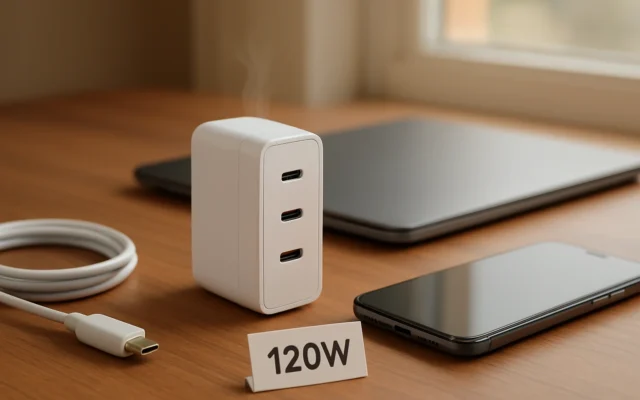
- Daily fastest wired (recommend): Buy a 65W GaN USB‑C PD charger that advertises PD 3.1 / AVS or wide PD support, and pair it with a 60W (or 100W rated) USB‑C to USB‑C cable. This will give top wired speeds for the 18 Pro and also charge a laptop or tablet. Independent tests show many 65–140W GaN chargers trigger the phone’s high‑power mode. ([chargerlab.com](https://www.chargerlab.com/charging-review-of-iphone-18-pro/?utm_source=openai))
- Compact home/office setup: Apple 35W Dual USB‑C adapter for bedside use — good for MagSafe and small devices. Apple sells a 35W dual port adapter in India. For wired max speeds though, a 60W+ adapter is recommended. ([apple.com](https://www.apple.com/in/shop/product/mw2k3hn/a/35w-dual-usb-c-port-power-adapter?fnode=a78599affa73fb519058a865fb4cceeda1da7102309c04dcaae434dd9eac0dd52d95172ef45ab8e313ce2c96797ed5fb472453c7bde194a37bacdc91bc190a2bf5bfdca368f250657a7e9a0b39e16e9a87c1170096fc9b03d0f9ae33537091e384d792b476a626d706b669dd2760b51a&fs=fh%3Dee80eb%252B8a4b3a%252Bbd0449&utm_source=openai))
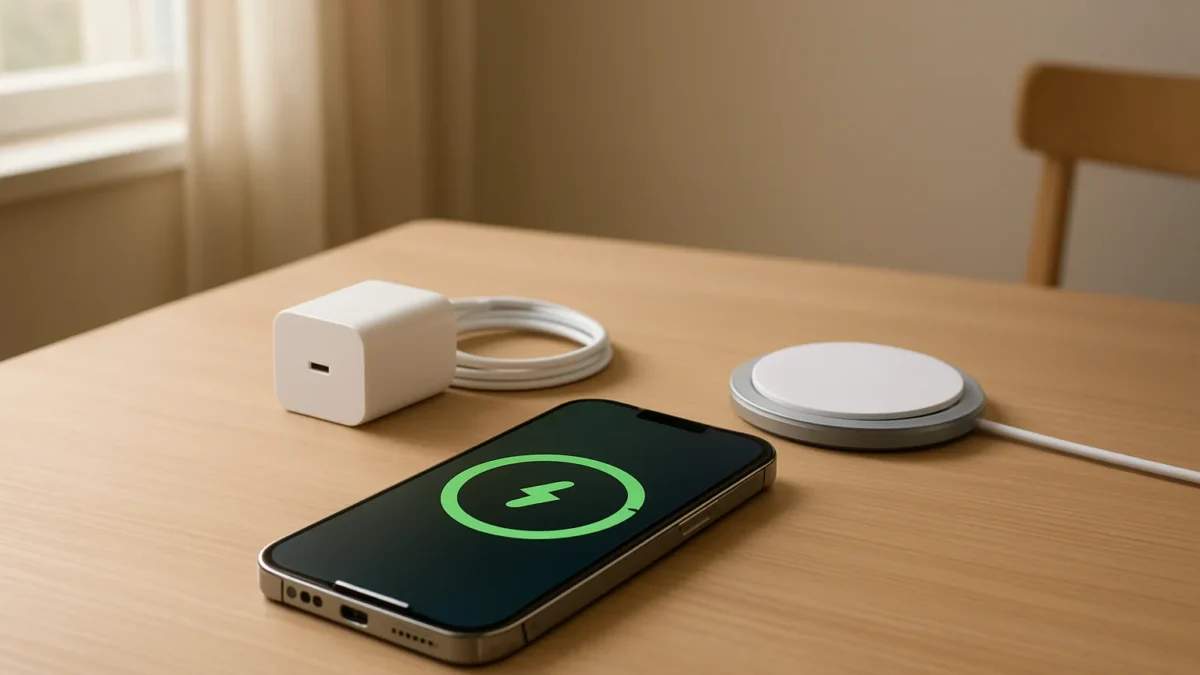
- Wireless fast (MagSafe): Use an Apple MagSafe Charger and plug it into a 35W or higher adapter — Apple recommends 35W+ for best MagSafe results. MagSafe charges slower than wired but is convenient for desk or bedside. ([support.apple.com](https://support.apple.com/en-in/102574?utm_source=openai))
- Travel and multi‑device: A 65–100W multiport GaN charger (two USB‑C ports) lets you fast‑charge iPhone and top up a laptop. Carry a short 60W rated cable for the phone and a longer 100W cable for the laptop.
One quick comparison table
| Setup | Best for | Expected peak |
|---|---|---|
| 65W GaN USB‑C PD + 60W cable | Daily fastest wired, travel | ~35–50W peak (short burst) |
| Apple 35W Dual USB‑C | MagSafe wireless, small devices | MagSafe up to ~25W; wired limited by 35W adapter |
| MagSafe Charger + 35W+ | Wireless convenience | Up to Apple’s MagSafe rate (~25W Qi2/MagSafe) |
Limits and risks
Fast charging is safe when you use reputable adapters and good cables. Apple and others test charging with temperature control and power negotiation. Cheap unbranded adapters or cables may not follow PD/AVS or may lack safety cutouts — that can cause slow charging, heat or inconsistent behaviour. Apple also shows iOS will warn on slow or incompatible chargers. Avoid unknown cables rated for very low wattage. ([support.apple.com](https://support.apple.com/en-in/120619?utm_source=openai))
What to avoid
- Old 5–20W phone chargers if you want fast charge — they’ll be slow.
- Unbranded “100W” cables or very cheap adapters without PD/AVS/PPS specs — they might not deliver or may rapidly heat.
- Buying a high‑wattage adapter but using an old low‑rating cable — the cable limits the power.
Who should care?
If you use your iPhone 18 Pro heavily during the day (streaming, camera work, long commutes) and want quick top‑ups between meetings, buy a 65W (or higher) GaN PD adapter and a 60W+ cable. If you prefer wireless convenience at the desk and overnight, a MagSafe Charger + a 35W adapter will be fine. If you rarely need a fast top‑up, Apple’s bundled 20W‑class behaviour from earlier iPhones will still charge the phone safely — just slower. ([apple.com](https://www.apple.com/in/iphone-18-pro/specs/?utm_source=openai))
Short checklist before buying
- Look for USB‑C PD 3.1 or AVS support on the charger spec sheet.
- Pick a cable rated 60W or higher (some recommend 100W) and from a known brand.
- Prefer GaN chargers (65W pocket chargers are common and cheap in India).
- For MagSafe, buy genuine MagSafe charger and pair with ≥35W adapter.
Sources: Apple product & support pages, independent charger tests and Indian retailer listings used to verify adapter types, behaviour and local prices. ([support.apple.com](https://support.apple.com/en-in/102574?utm_source=openai))
Check latest prices
Prices and offers change often. Check the current price and seller rating before you buy.
Apple 35W Dual USB‑C Port Power Adapter (India)
Official MagSafe / small dual‑device charging
approx ₹5,800 (Apple India retail price)
UGREEN Nexode 65W GaN USB‑C Charger (India)
Compact, multi‑device fast wired charging
approx ₹2,000–₹3,500
Anker Prime / 737 (GaN multiport 65–120W) USB‑C PD charger
Higher‑power multiport charging (phone + laptop)
approx ₹3,000–₹6,000
Stuffcool Zeno 65W GaN Charger (India)
Budget 65W GaN with India warranty
approx ₹2,500–₹3,500
Apple MagSafe Charger (1m)
Wireless MagSafe charging and Qi2 compatibility
approx ₹3,500–₹4,500
Apple USB‑C Charge Cable (60W or 240W, as sold)
Guaranteed cable compatibility with Apple devices
approx ₹1,500–₹4,000 depending on length and spec
For most Indian buyers a 65W GaN USB‑C PD charger plus a 60W+ USB‑C cable is the best balance of price, speed and portability. MagSafe + 35W adapter is fine for wireless convenience. Avoid cheap no‑name cables and very low‑wattage bricks.
Frequently asked questions
Do I need Apple’s adapter to get fast charging on iPhone 18 Pro?
No. Apple’s adapters work, but any reputable USB‑C PD 3.1 / AVS capable charger and a 60W+ cable will let the iPhone 18 Pro fast charge. Many third‑party GaN chargers match or beat Apple’s adapters in price and size.
Will wireless MagSafe charge as fast as wired charging?
No. MagSafe wireless is convenient but slower. Apple recommends a MagSafe Charger with a 35W or higher adapter for the best wireless speed; wired PD/AVS with a 60W+ cable gives the fastest top‑ups.
Which cable rating is enough for the iPhone 18 Pro?
Use a USB‑C to USB‑C cable rated for at least 60W (some sources recommend 100W for future proofing). The cable’s rating must match the adapter capability to reach peak power.
Are cheap GaN chargers safe in India?
Reputable-brand GaN chargers (UGREEN, Anker, Stuffcool, etc.) with BIS/IEC safety claims are generally safe. Avoid unknown brands without certifications or customer reviews. Check seller warranty and return policies in India.
Will fast charging shorten battery life?
Fast charging does put more stress on the battery during short bursts, but modern phones (including iPhone 18 Pro) use software and thermal controls to limit long‑term damage. For daily long life, avoid constant high‑heat charging and don’t keep the phone at 100% all the time.
Sources
- Fast charge your iPhone – Apple Support (IN)
- Charging Review of iPhone 18 Pro – ChargerLAB – Chargers, Batteries, Cells, Power Banks, Gadget News and Reviews
- Charge and connect with the USB-C connector on your iPhone – Apple Support (IN)
- 35W Dual USB-C Port Power Adapter
- About iPhone charge speeds – Apple Support (IN)
- iPhone 18 Pro and 18 Pro Max – Technical Specifications – Apple (IN)