SIM swap scam: how Indians can detect and stop SIM‑box and SIM‑swap fraud
Learn how SIM‑box and SIM‑swap scams work, red flags Indians should watch for, step‑by‑step actions, telco settings to change and a ready complaint template for quick reporting.


SIM‑box and SIM‑swap are different frauds: SIM‑box routes calls through many SIMs to hide origins, while SIM‑swap gives attackers control of your number. If you suspect either, lock your SIM with a PIN, alert your mobile operator, inform your bank, and report immediately to 1930 and cybercrime.gov.in.
Key takeaways
- SIM‑box fraud hides call origin; SIM‑swap transfers your number to an attacker.
- If your phone loses service unexpectedly, treat it as a red flag.
- Call 1930, report at cybercrime.gov.in, and inform your bank right away.
- Lock SIM with a PIN, enable carrier 2FA protections and bank OTP safeguards.
- Use the complaint template to file quick reports with police and telco.
In this article
How the scam works
Two different attacks are often confused because both use mobile numbers to steal money or hide crime. Here is what a typical victim experiences for each.
SIM‑swap (victim experience, step by step)
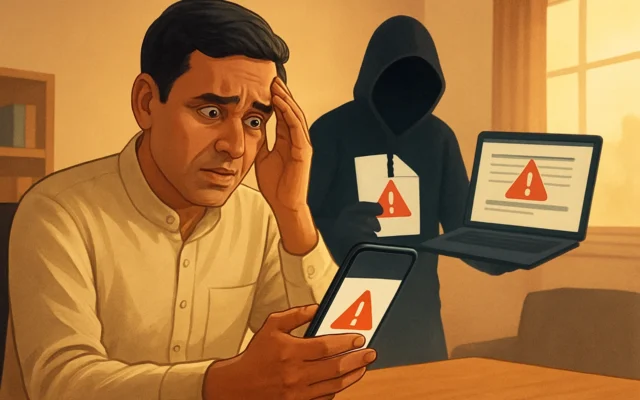
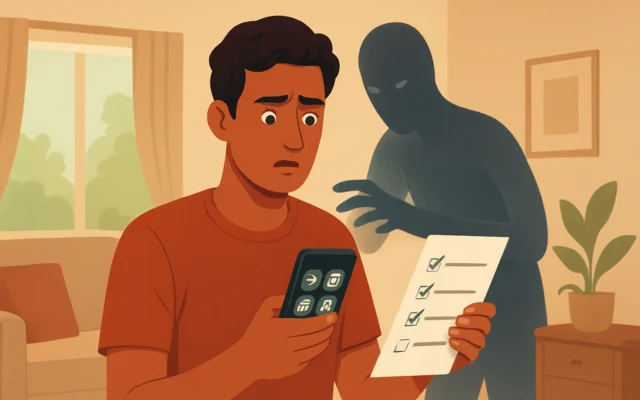
- Day 0–1: You get a call, SMS or WhatsApp message claiming to be from your bank, telecom or a delivery service. They ask to “verify” your number or ask you to press a button during a call.
- Shortly after: Your phone loses network (no signal, or “SIM not provisioned”). You assume network issue and don’t worry.
- Hours later: You can’t receive OTPs, logins fail, and bank transactions are done using OTPs sent to your number now controlled by someone else.
- Discovery: You contact your telco and learn your SIM was re‑issued to another device — that’s a successful SIM‑swap.
SIM‑box (victim experience, step by step)
- Calls you receive may be impersonated — callers claim to be police, bank officials or tech support and use local numbers to build trust.
- Victims are social‑engineered into sharing money, revealing UPI PINs, or transferring funds to “safe” accounts.
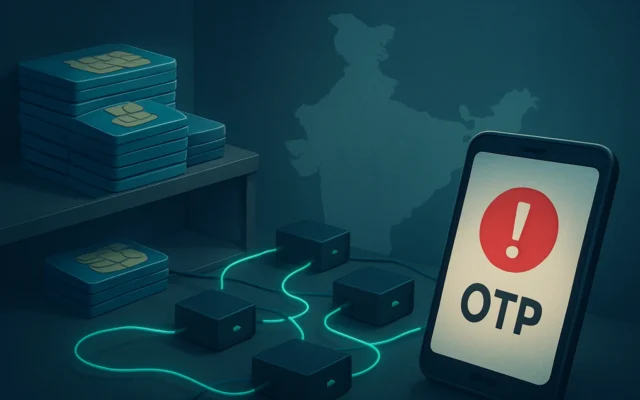
- Behind the scenes: Fraudsters route international scam calls through SIM‑box hardware using many Indian SIMs so calls appear local and hard to trace.
- Impact: Your number might be used in criminal signalling, or you may be directly conned by callers using SIM‑box infrastructure.
Red flags to spot
- Unexpected loss of mobile network or sudden “SIM not provisioned” message.
- Unsolicited calls that ask you to press keys, confirm codes, or share OTPs or PINs.
- Multiple failed login attempts or OTPs for services you didn’t request.
- Calls claiming to be law enforcement or bank officials insisting on immediate payment or transfer.
- Local number calling you repeatedly with scripted messages — may be SIM‑box routed calls.
Also read: SIM box fraud alert: How to spot and stop SIM‑box scams · How to Stop Voice Phishing (vishing): A 9-step India Guide
What to do if you have been targeted
Act fast. Time is crucial when attackers control your number.
- Call your mobile operator immediately from another phone and ask them to block or suspend your mobile number. Don’t use the compromised number to call the operator.
- Inform your bank(s) right away and ask them to block transactions, freeze debit cards and stop UPI/IMPS payments linked to your number.
- Report to the National Cyber Crime Helpline — call 1930 and file an online complaint at the National Cyber Crime Reporting Portal (cybercrime.gov.in). Provide as many details as possible: dates, times, caller numbers, SMS text and bank transaction IDs.
- File a police complaint at your nearest Cyber Crime Police Station or the local police station and ask for an FIR. Keep the FIR number for follow up with banks and telco.
- Change passwords and revoke sessions for email, banking and important apps. Use a different device and a secure network when you do this.
- Check device security — run antivirus scans, remove unknown apps and review recent app permissions.
Ready‑to‑send complaint template (copy and paste)
Subject: Complaint — Suspected SIM‑swap / SIM‑box fraud on mobile number [your number]
I am writing to report suspected SIM‑swap / SIM‑box fraud affecting my mobile number [your number]. On [date and time], my phone lost network and I could not receive OTPs. I did not request any SIM change. I noticed the following suspicious activity: [list SMS, calls, unauthorised transactions with transaction IDs and timestamps].
Actions taken: contacted bank and telco on [date], requested immediate suspension. Please register my complaint and issue an FIR. I request an urgent technical trace and assistance to recover funds and secure my account.
Contact details: [your name], alternate phone [alt no.], email [email].
How to stay safe
Prevention reduces the chance of becoming a victim.
Telco settings and account protections
- Set a SIM PIN (PIN that the SIM requires at boot). Do not share it.
- Enable operator account password / PIN (most carriers let you set a strong account PIN or passphrase required for SIM re‑issue). Ask your telco for this and record the date you set it.
- Register Device Bindings where available — some telcos provide extra verification steps for porting or re‑issue.
Banking and OTP safety
- Ask your bank to block SMS OTPs on merchant payments and enable transaction limits or additional authentication for large transfers.
- Use UPI apps that allow UPI PIN lockdowns or device binding, and never share your UPI PIN or OTP with anyone.
Everyday habits
- Never press a key when asked during a suspicious automated call — some prompts confirm transfers or swaps.
- Ignore SMS or WhatsApp messages that ask for verification codes, even if they look urgent; verify the request by calling the official support number yourself.
- Keep software updated and use strong, unique passwords with a password manager and two‑factor authentication using an authenticator app where possible.
Why the Chennai bust matters
Recent police raids in Chennai and other Indian cities found organised SIM‑box networks used to route international scam calls through many Indian SIMs. Law enforcement actions show these are not isolated incidents but part of larger transnational fraud chains that feed caller‑ID trust and make scams harder to trace. Strong local reporting, fast telco action and bank cooperation are the practical defence.
Key contacts to report immediately
| Service | What to do |
|---|---|
| National Cyber Crime Helpline | Call 1930 immediately and follow their instructions. |
| National Cyber Crime Reporting Portal | File a complaint at cybercrime.gov.in with all evidence (SMS, call logs, bank details). |
| Your mobile operator | Call from a different phone to block or suspend the number and request an account lock. |
| Your bank | Inform them to freeze accounts/cards and halt transactions linked to the number. |
Do not delay. Quick action can stop further transfers and help investigators trace the fraud. Keep copies of all reports, FIR numbers and complaint IDs for follow up.
Treat unexpected loss of mobile service as a high‑priority security incident. If you notice absent OTPs or suspicious calls, suspend your number, inform your bank and report to 1930 and cybercrime.gov.in immediately. Everyone with a mobile number should set a SIM PIN and a telco account PIN today.
Frequently asked questions
What is the difference between SIM‑swap and SIM‑box scams?
SIM‑swap moves your mobile number to another SIM so attackers receive your OTPs. SIM‑box is hardware used by criminals to route international calls through many local SIMs, making scam calls appear local. Both are used for fraud but work differently.
If my phone shows no network, is it always a SIM‑swap?
No. Network outages happen. But if loss of service coincides with unexpected OTP failures or you get messages about SIM re‑issue, treat it as a possible SIM‑swap and act fast by contacting your telco from another phone.
Can the bank refund money lost to SIM‑swap fraud?
Banks may refund fraud losses if you report quickly and are not negligent. Immediate reporting, FIR and the cybercrime portal complaint improve chances. Each case is assessed on evidence and bank policy.
How do I set a SIM PIN or telco account PIN?
SIM PIN can be set from your phone’s SIM settings (varies by phone). For a telco account PIN or passphrase, call your operator’s customer care or visit their retail outlet and request an account lock for SIM re‑issue.
Should I switch to an authenticator app instead of SMS OTPs?
Yes. Authenticator apps (TOTP) or hardware tokens do not rely on your mobile number and are safer than SMS OTPs. Use them where services support them and keep a secure backup.