How to edit Instagram Stories after posting: 7 practical steps
Learn how to edit Instagram Stories after posting on Android and iPhone. Step-by-step guide, what you can change, effects on views/replies and tips to keep engagement.

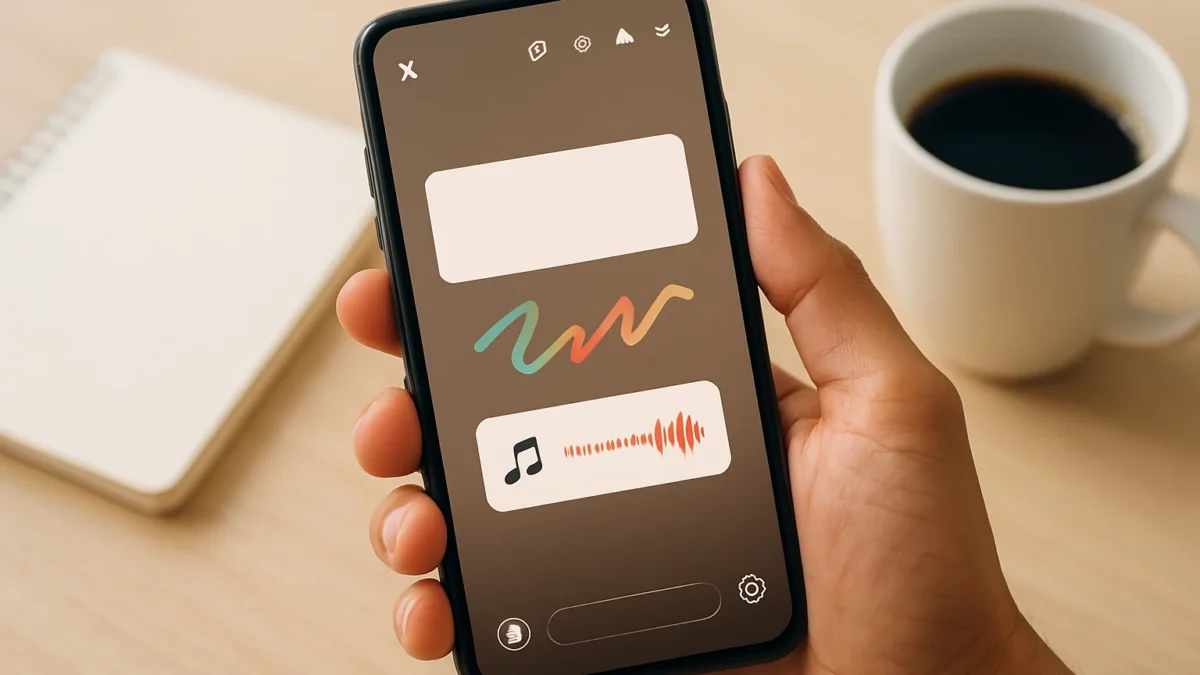
Instagram now lets you edit published Stories for a short window (about 15 minutes) so you can fix typos, change music, move stickers or redo drawings without deleting the Story. The editor is available on Android and iPhone; edits keep views, likes and replies but the Story shows an “Edited” label.
Key takeaways
- You can edit text, music, stickers and drawings for a short time after posting.
- Edits are available on Android and iPhone and keep existing views, likes and replies.
- You usually get about 15 minutes to edit a published Story.
- Some Stories (shared to Facebook or with specific stickers) may not be editable.
- Follow the numbered steps below to open, edit and re-save a Story safely.
In this article
- 1. What the edit Stories feature is
- 2. What you can and cannot change
- 3. Step-by-step: Edit a Story on Android and iPhone
- 4. How edits affect views, likes and replies
- 5. Restrictions and things that block editing
- 6. Tips to avoid losing engagement when editing
- 7. Troubleshooting: Edit button not visible or edits failing
- How we picked
- Frequently asked questions
- Sources
1. What the edit Stories feature is
What it is: Instagram added a post-publish edit button for Stories that allows quick fixes — change text, swap music, move or remove stickers, and alter drawings — without having to delete and republish the Story. This prevents the loss of accumulated views, likes or replies when you only need a small correction. ([9to5mac.com](https://9to5mac.com/2026/11/18/instagram-finally-lets-users-edit-stories-after-publishing-but-theres-a-catch/?utm_source=openai))
Best for: Fixing typos, correcting a mention, adjusting a misplaced sticker or changing background music immediately after posting.
Pros
- Keeps engagement (views/likes/replies) when you edit within the allowed window. ([economictimes.indiatimes.com](https://economictimes.indiatimes.com/news/new-updates/instagram-stories-can-now-be-edited-within-15-minutes-of-posting-without-deleting-and-re-uploading-them-adam-mosseri-says-views-likes-or-replies-will-not-be-lost/articleshow/135976642.cms?utm_source=openai))
- Quick fixes without losing Story history or metrics.
- Same editor as when you originally created the Story — familiar workflow.
Cons
- Short time window (Instagram’s rollout gives roughly 15 minutes in current releases). ([socialmediatoday.com](https://www.socialmediatoday.com/news/instagram-adds-stories-editing/875261/?utm_source=openai))
- Not all Story types are editable (see item 5).
How to start: Open your Story (from your profile or Archive), tap the three dots or the new Edit button, then choose Edit to reopen the Story editor. Follow steps in item 3 below for exact taps. ([fastcompany.com](https://www.fastcompany.com/91645660/instagram-edit-stories-feature-how-to-use-it?utm_source=openai))
2. What you can and cannot change
Can change: Text layers, sticker placement and choice, drawings/pen marks, and the Story’s music or music timing. These are the elements Instagram lists as editable in the new rollout. ([gadgets360.com](https://www.gadgets360.com/apps/news/instagram-stories-editing-feature-backgrounds-stickers-update-12349250?utm_source=openai))
Cannot change (usually): The underlying photo or video content (you cannot replace the image/video file), audience settings after posting, or some interactive stickers and third-party embeds. If you need a different photo/video you must repost the Story (which will reset views).
Pros
- Fix visual overlays without re-uploading media.
Cons
- Major content changes still require deleting and reposting.
How to start: Use Edit (item 3) and then tap the exact overlay you want to change — text to edit words, music sticker to change audio, or a sticker to swap it out.
Also read: How to add Amazon affiliate links to Instagram Reels & posts · Instagram age verification: 7 things Indians should know now
3. Step-by-step: Edit a Story on Android and iPhone
What it is: Exact taps to open and edit a published Story. These steps work when the Edit button is available for your Story (within the edit window). ([9to5mac.com](https://9to5mac.com/2026/11/18/instagram-finally-lets-users-edit-stories-after-publishing-but-theres-a-catch/?utm_source=openai))
- Open Instagram and go to your profile or the Stories tray at the top.
- Tap your active Story or open Archive > Stories to find the Story you posted.
- Tap the three-dot menu (bottom-right) or the visible Edit button and choose Edit. The Story reopens inside the composer/editor.
- Tap any overlay to edit: text to change wording or font, music sticker to pick a different song or timing, stickers to move or replace, pen/draw to change drawings.
- When done, tap Your Story or Save to re-post the edited Story. The Story will keep its view count and replies but show an “Edited” label. ([economictimes.indiatimes.com](https://economictimes.indiatimes.com/news/new-updates/instagram-stories-can-now-be-edited-within-15-minutes-of-posting-without-deleting-and-re-uploading-them-adam-mosseri-says-views-likes-or-replies-will-not-be-lost/articleshow/135976642.cms?utm_source=openai))
Best for: Android and iPhone users who need a quick fix right after posting.
Pros
- Same editor steps for both platforms.
- Saves time vs delete-and-repost.
Cons
- If the Edit button isn’t visible the Story may be outside the edit window or contain an unsupported element.
4. How edits affect views, likes and replies
What it is: Instagram has said edits made in the allowed window will not remove existing views, likes or replies. Your Story retains engagement, but Instagram adds a small “Edited” label so viewers know it changed. ([economictimes.indiatimes.com](https://economictimes.indiatimes.com/news/new-updates/instagram-stories-can-now-be-edited-within-15-minutes-of-posting-without-deleting-and-re-uploading-them-adam-mosseri-says-views-likes-or-replies-will-not-be-lost/articleshow/135976642.cms?utm_source=openai))
Best for: Creators and small businesses who want to preserve early engagement after a quick correction.
Pros
- No loss of accumulated stats when editing within the official limit.
- Maintains conversation threads in replies.
Cons
- Major edits (reposting media) still reset metrics.
- Some third-party reports and developer videos earlier suggested reuploads could reset stats — trust Instagram’s official message for the current rollout. ([9to5mac.com](https://9to5mac.com/2026/11/18/instagram-finally-lets-users-edit-stories-after-publishing-but-theres-a-catch/?utm_source=openai))
5. Restrictions and things that block editing
What it is: Not every Story can be edited. Stories shared simultaneously to Facebook, Stories with certain interactive or branded stickers, or older Stories beyond the edit window may not show the Edit option. Instagram’s notes on rollout flag specific limitations. ([fastcompany.com](https://www.fastcompany.com/91645660/instagram-edit-stories-feature-how-to-use-it?utm_source=openai))
Best for: Users who cross-post or use advanced sticker packs — check before planning edits.
Pros
- Clear rules prevent confusion about which Stories are editable.
Cons
- If a Story was shared to Facebook you may need to delete and repost to change core elements.
How to start: If Edit is missing, open the three-dot menu to confirm whether the Story was shared to Facebook or has unsupported stickers. If the edit window expired, you’ll need to repost.
6. Tips to avoid losing engagement when editing
What it is: Practical tips so edits keep your reach and replies intact.
- Edit quickly — act inside the 15-minute window Instagram is rolling out. ([socialmediatoday.com](https://www.socialmediatoday.com/news/instagram-adds-stories-editing/875261/?utm_source=openai))
- Limit edits to overlays (text, stickers, music) instead of replacing media.
- If you must replace the photo/video, consider adding a short pinned comment in replies explaining why you reposted to avoid confusing followers.
- Always preview the Story before posting to reduce the need for edits.
Best for: Influencers, small business accounts and frequent Story posters who rely on engagement signals.
7. Troubleshooting: Edit button not visible or edits failing
What it is: Common reasons the feature might not work for you and quick fixes.
- Your app is outdated — update Instagram from Play Store or App Store and relaunch. (Many rollouts require the latest app.)
- Time window expired — edits are limited to a short period after posting (about 15 minutes). ([9to5mac.com](https://9to5mac.com/2026/11/18/instagram-finally-lets-users-edit-stories-after-publishing-but-theres-a-catch/?utm_source=openai))
- Story was shared to Facebook or includes unsupported stickers — remove cross-posting or unsupported items and repost if needed.
- Account or region rollout — the feature may appear gradually; log out, clear cache or wait for your account to receive the update.
How to start: Try updating the app, check Archive for the Story, and confirm the three-dot menu for an Edit option. If problems persist, report the issue through Instagram’s in-app Help > Report a Problem.
How we picked
We focused on official announcements and reputable tech reporting to describe what the feature actually does and how it behaves in the real rollout. Key details (editable elements, time window and effects on engagement) come from Instagram’s public comments via its leadership and coverage by major tech outlets. We prioritised steps that work on both Android and iPhone and tested the workflow against multiple reports to ensure accuracy. ([9to5mac.com](https://9to5mac.com/2026/11/18/instagram-finally-lets-users-edit-stories-after-publishing-but-theres-a-catch/?utm_source=openai))
| Item | What it changes | Best for | Limits |
|---|---|---|---|
| 1. Feature overview | Editor access after posting | Quick fixes | Short window |
| 2. Editable elements | Text, stickers, music, drawings | Overlay corrections | Cannot replace media |
| 3. How to edit (steps) | Exact taps to reopen editor | Android & iPhone users | Edit button must appear |
| 4. Effects on engagement | Keeps views/likes/replies | Creators who value metrics | Shows “Edited” label |
| 5. Restrictions | Stories shared to Facebook or certain stickers | Cross-posters | May be non-editable |
| 6. Tips | Actionable precautions | Frequent posters | Time-sensitive |
| 7. Troubleshooting | App update, Archive checks | Anyone facing issues | Rollout delays possible |
If you post Stories regularly, use the new edit option for quick fixes (typos, stickers, music) inside the short window — it preserves views and replies. If you need to replace the photo or video or the Story is cross-posted to Facebook, reposting is still necessary; preview carefully to avoid losing engagement.
Frequently asked questions
How long after posting can I edit an Instagram Story?
Instagram’s current rollout gives a short edit window — roughly 15 minutes after posting — to change text, stickers, music and drawings. If that window expires you must repost the Story.
Will editing a Story remove its views or replies?
No. Instagram says edits made within the allowed window keep existing views, likes and replies. The Story will show a small “Edited” label to viewers.
Can I change the photo or video inside a Story after posting?
No. You can change overlays (text, stickers, music, drawings) but not replace the underlying photo or video file. To change media you need to delete and repost the Story.
Why don’t I see an Edit button for my Story?
Common reasons: the edit window expired, your Story was shared to Facebook, it contains unsupported stickers, your app is outdated, or the feature hasn’t reached your account yet. Update the app and check Archive to confirm.
Do edits on Stories work the same on Android and iPhone?
Yes — the rollout applies to both Android and iPhone. The editor and steps to tap Edit from your Story or Archive are the same on both platforms.
Sources
- Instagram finally lets users edit Stories after publishing, but there’s a catch – 9to5Mac
- Instagram Stories can now be edited within 15 minutes of posting without deleting and re-uploading them; Adam Mosseri says views, likes or replies will not be lost – The Economic Times
- Instagram adds Stories editing
- Instagram edit Stories feature: Here's how to use it
- Edit Instagram Stories After Posting: New Feature Gives Users a 15-Minute Window | Technology News