How to spot a fake WhatsApp chat screenshot — concise India guide
Step-by-step checklist to spot a fake WhatsApp chat, preserve evidence and report to Indian police, banks and cyber portals. Practical Android/iPhone tips.

Check obvious visual mismatches (fonts, bubbles, timestamps), verify sender via a fresh message or voice call, reverse-image any avatars/screenshots, preserve original files and report to cybercrime.gov.in or your bank immediately. Android and iPhone screenshots differ in metadata and notification style, so check those too.
Key takeaways
- Use a short visual checklist first: fonts, delivery ticks, times and contact details.
- Reverse-image search profile photos and screenshot images to find edits or reused content.
- Preserve originals (don’t edit), record device time, and report quickly to cybercrime.gov.in, Chakshu and your bank.
- Android vs iPhone: compare notification bars, status bar, and image metadata differences.
- When in doubt, ask for a live message or short call to confirm the chat.
In this article
Who this guide is for — and what you need
This quick, practical guide is for anyone in India who gets a suspicious WhatsApp screenshot — from families who receive money requests to bank staff verifying claims. You need: the screenshot or image file, the phone number shown in the chat, and access to your own WhatsApp (or a second phone) to verify. If the screenshot is part of a money request, act fast and preserve evidence (do not delete anything).
The steps below start with fast visual checks, then move to technical verifications and exact reporting steps for India (police, I4C/NCROP portal and banks). Follow them in order — the first few steps catch most fakes in under a minute.
Step-by-step
- Look for visual mismatches. Check fonts, message bubble shapes, spacing and read/delivery ticks; many editing tools change these subtly. If the text looks like different font sizes or alignment is off, it’s a red flag. ([screenshotchecker.com](https://screenshotchecker.com/blog/fake-whatsapp-chat-screenshot/?utm_source=openai))
- Check timestamps and chronology. Timestamps that repeat, jump backward, or show impossible times (e.g., future dates) often mean the image was edited. Real chats keep consistent time formats and conversation flow.
- Inspect contact header and profile photo. Look at the top bar (name, status line, profile image). Fake headers often use cropped images or inconsistent name formats. Reverse-image the profile photo to see if it’s reused elsewhere. ([apnews.com](https://apnews.com/article/760d91b9658b4e40e653e84de09b27d6?utm_source=openai))
- Examine delivery/read ticks. Single gray tick, double gray ticks, and blue ticks behave consistently in real WhatsApp chats; edited screenshots can show impossible tick states for the context described. Compare with a known real chat on your phone to spot differences. ([faq.whatsapp.com](https://faq.whatsapp.com/2286952358121083/?helpref=uf_share&utm_source=openai))
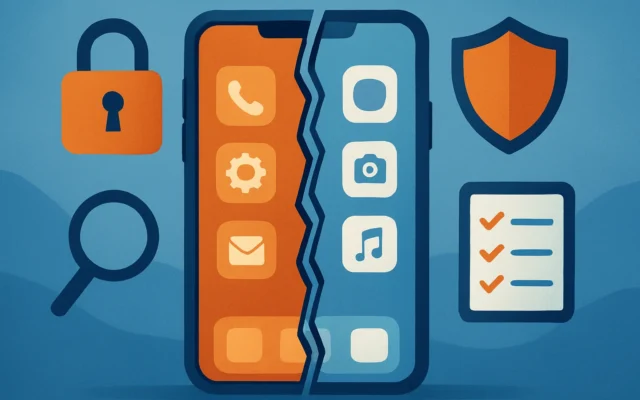
- Look for UI differences between Android and iPhone. Notification area, battery icon, fonts and chat bubble shapes differ between platforms; mismatched UI elements suggest a composite image. If someone claims an Android screenshot but shows iPhone UI, question it. (See the tips below for the main differences.)
- Do a reverse-image search on the screenshot. Upload the screenshot or any avatar images to a reverse-image search; identical images appearing elsewhere suggest reuse or editing. Many fake chats recycle profile photos or earlier screenshots. ([apnews.com](https://apnews.com/article/1df8064173239c41b2ea83ef050b3cdb?utm_source=openai))
- Ask for a live proof message. Request the sender to send a short, unique phrase or voice note right now. Live responses are the simplest way to confirm a real account and account control. Scammers often refuse or delay. ([faq.whatsapp.com](https://faq.whatsapp.com/2286952358121083/?helpref=uf_share&utm_source=openai))
- Check image file details (if you have the original file). On Android, long-press the image and check file properties; on iPhone, use the Photos info pane. Look for EXIF data, creation time and device model — heavy editing tools often strip or alter metadata. If metadata is missing or shows an unrelated device, be cautious. ([cert-in.org.in](https://www.cert-in.org.in/s2cMainServlet?VLCODE=CIAD-2024-0060&pageid=PUBVLNOTES02&utm_source=openai))
- Search the phone number and any links. Put the phone number from the screenshot into the national cybercrime portals and search engines — many scam numbers are reported repeatedly. If the screenshot includes links, do not click them on your device; report them. ([cybercrime.gov.in](https://www.cybercrime.gov.in/?wpappninja_v=cuyirya8k&wpmobileexternal=true&utm_source=openai))
- Preserve evidence before reporting. Save the original screenshot file, note the exact time you received it, and take a new photograph of the device screen if the image is on someone else’s phone. Do NOT crop, edit or compress the files — authorities prefer originals for investigation. ([nicdc.in](https://nicdc.in/images/MHA-CitizenManualReportOtherCyberCrime-v10.pdf?utm_source=openai))
- Report quickly to India’s portals and your bank. For fraud or financial requests, report to the National Cyber Crime Reporting Portal (cybercrime.gov.in) and to Chakshu/Sanchar Saathi for scam messages. If money transfer is involved, contact your bank’s fraud department immediately and follow their freeze/lien instructions. Keep all screenshots, messages and transaction IDs. ([cybercrime.gov.in](https://www.cybercrime.gov.in/?wpappninja_v=cuyirya8k&wpmobileexternal=true&utm_source=openai))
Android vs iPhone specifics
Android: notification icons, back button shapes and fonts vary by manufacturer. Android screenshots often retain richer EXIF fields unless edited.
iPhone: iOS shows a status bar with carrier and fewer icons, and the Photos app hides most EXIF fields by default in shared images. iPhone screenshots tend to use San Francisco system font and rounded corners. A mismatch between the claimed device and UI clues is suspicious.
Also read: How to spot a fake police notice and report it (fake police notice) · Fact-check: Income tax notice WhatsApp forwards are usually fake
Common problems and fixes
- Problem: Sender says “I sent that, it’s real” but you still doubt it. Fix: Ask for a live short message or voice note from their number and compare the account’s profile photo and last seen status in real time.
- Problem: The screenshot contains a bank message or UPI confirmation. Fix: Do not act on the screenshot. Contact the bank’s customer-care number from their official site and lodge a fraud report; ask for a transaction freeze or reversal if money moved. ([ministryofcyberaffairs.com](https://ministryofcyberaffairs.com/mobile-wallet-fraud-help/whatsapp-payments?utm_source=openai))
- Problem: You only have a compressed image from social media. Fix: Ask the sender for the original file or a video of them scrolling the chat on their phone. Compression destroys metadata, so the original is needed for investigation. ([nicdc.in](https://nicdc.in/images/MHA-CitizenManualReportOtherCyberCrime-v10.pdf?utm_source=openai))
Tips to make checks fast
- Compare the screenshot with a real one on your own WhatsApp to spot UI inconsistencies quickly.
- Use reverse-image search on profile photos before trusting any claim tied to identity. ([apnews.com](https://apnews.com/article/1df8064173239c41b2ea83ef050b3cdb?utm_source=openai))
- When a message demands money or urgent action, stop and verify—most scams try to create panic.
- Keep the National Cyber Crime Reporting Portal number (1930) or website handy and report within 24–72 hours for fast action. ([cybercrime.gov.in](https://www.cybercrime.gov.in/?wpappninja_v=cuyirya8k&wpmobileexternal=true&utm_source=openai))
If you suspect a deepfake or AI-generated chat, preserve all files and report immediately. Do not share the screenshot further — sharing can spread the scam and make recovery harder for victims. ([cert-in.org.in](https://www.cert-in.org.in/s2cMainServlet?VLCODE=CIAD-2024-0060&pageid=PUBVLNOTES02&utm_source=openai))
Use the quick visual checklist first — it catches most fakes in under a minute. If the chat concerns money or sensitive data, preserve originals and report immediately to cybercrime.gov.in, Chakshu and your bank. Skip lengthy private checks when urgent action (freezing funds) is required; report first, verify later with authorities.
Frequently asked questions
Can WhatsApp screenshots be faked easily?
Yes. Many editing tools and AI generators can produce believable WhatsApp screenshots in minutes. Visual inconsistencies, reused profile photos and missing metadata are common tells — always verify with a live message or call before acting on any screenshot.
How do I report a fake WhatsApp chat in India?
Save the original image, note the sender’s number and time, then report on the National Cyber Crime Reporting Portal (cybercrime.gov.in). For scam calls or SMS also use the Chakshu/Sanchar Saathi portal and inform your bank if money is involved.
Will reverse-image search find edited screenshots?
Often yes. Reverse-image searches can reveal reused profile photos or earlier copies of the same screenshot. If a profile image or screenshot appears elsewhere, it’s a strong sign the material was recycled or edited.
What evidence should I preserve for police or my bank?
Keep the original image file (no edits), any accompanying messages, the phone number involved, timestamps, transaction IDs and the device you received it on. Take a short video of the conversation on the sender’s phone if possible; authorities prefer originals.
Are there tools to detect deepfake WhatsApp screenshots?
There are image-analysis and deepfake-detection tools that may help, but none are perfect. The best practical steps are visual checks, reverse-image searches and live verification. For serious fraud, hand evidence to investigators and do not rely solely on automated detection.
Sources
- Fake WhatsApp Chat Screenshot? How to Spot a Fake
- It's International Fact-Checking Day. Refresh your AI identification skills
- About suspicious messages and scams | WhatsApp Help Center
- One Tech Tip: How to spot AI-generated deepfake images
- Advisories
- Cyber Crime Portal
- USER MANUAL FOR NATIONAL CYBERCRIME REPORTING PORTAL